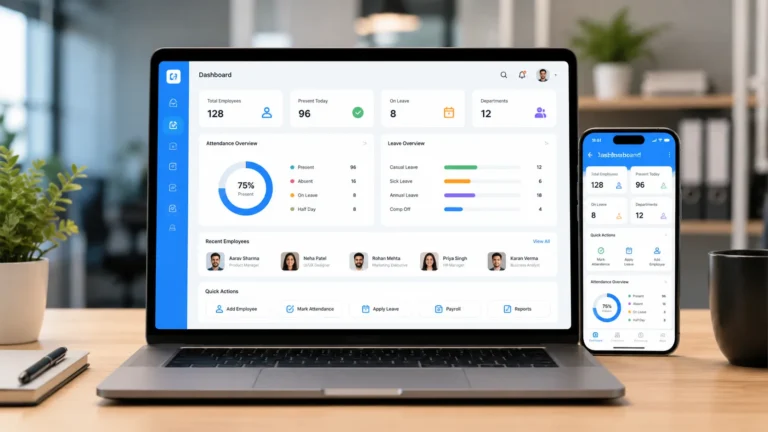
Small businesses are often faced with limited budget and resources. However, this should be a standing block that prevent small business from acquiring automated HR document generator software.
For small business owners, managing employment and business operations should not require paying thousands of dollars in legal retainers or subscribing to expensive enterprise software suites. Every new employe, policy update, performance review, and departure bring comes with performing an HR and administrative functions such as writing an offer letter, an NDAs, employee handbooks and probation confirmations.
Because of the tight budget small business are faced with, they sometime rely on scattered documents, templates downloaded from the internet and spreadsheets which expose their business to poor record keeping, loss of sensitive data and disputes with labor unions. At the same time, paying $10 to $25 per employee every month for an automated HR documents generator software just to generate basic contracts quickly drains operating cash.
A low-cost HR document generator software for small business solves all this problem without breaking the bank or running budget deficit. These tools provide flat-rate or budget-friendly access to jurisdiction-based documents, in built e-signatures, and centralized employee record storage with proper audit trail and time stamp.
What Does HR Document Generator Software Do?
HR document generator software is a tool that produces standard HR documents from users’ inputs. You pick the type of document, answer a few questions or fill in a form, and it gives you a finished letter or agreement with your company and employee details already in place.
HR document generator software produces the following type of documents for most small businesses in less than 10 minutes:
- Offer letters and employment contracts
- Job descriptions
- Employee handbooks and individual policies
- Probation confirmation and extension letters
- Leave approval or denial letters
- Written warnings
- Resignation acceptance and termination letters
- Reference letters and experience certificates
- Contractor agreements
- Confidentiality and non-compete forms
These tools do not only generate documents but streamline your whole HR operations such as payroll, time tracking, an employee record, asset and property tracking, leave management and incident logging. For a small business, the software that combine this feature is often cheaper than buying a separate generator.
What Features to Check Before Buying HR Document Generator Software
Choosing an affordable HR software tool means looking for a tool that pricing scales as your team grows and must have the following features at the base tier:
- Flat-Rate Pricing: Many HR platforms charge per employee per month (PEPM), meaning your bill automatically increase every time you add a new employee. Budget-friendly document generators software offers flat monthly payment or free plan before you subscribe to a higher plan without breaking the bank.
- Jurisdiction Based Documentation: A low-cost software is useless if its clauses violate state or national labor laws. Always look for platforms that automatically adjust statutory leave entitlements, notice periods, and final pay terms based on where your employees physically work not where the company is headquartered.
- In Built Electronic Signatures: Good entry-level HR generators software has an in-built e-signatures and timestamped audit logs integrated into the system. Paying for a separate e-signature tool like DocuSign on top of your HR software doubles your software expenditure.
- Centralized Employee Records: Generating a document is only half the workflow. The software should automatically file signed contracts, handbooks, and warning letters inside organized digital employee folders rather than leaving you to download and rename PDFs manually.
- Customization and Edit of Output: Check if the platform allows you to edit your final document after it has been generated. A good software allows you to add company letterhead, edit language and tone before final generation.
- Easy To Setup and Use: No matter how affordable the platform is, if your managers and employee require technical knowledge before operating it then it not good for you. Automated platforms are supposed to save time and make your work easier not be add stress to your workflow.
Make sure the software you buy ticks all the box before committing scares business resources to buy them.
Top Low-Cost HR Document Generators Software in 2026
Here is a practical analysis of the most affordable HR document automation and management tools for small teams, including transparent pricing, core strengths, and disadvantages.
1. HRDocket
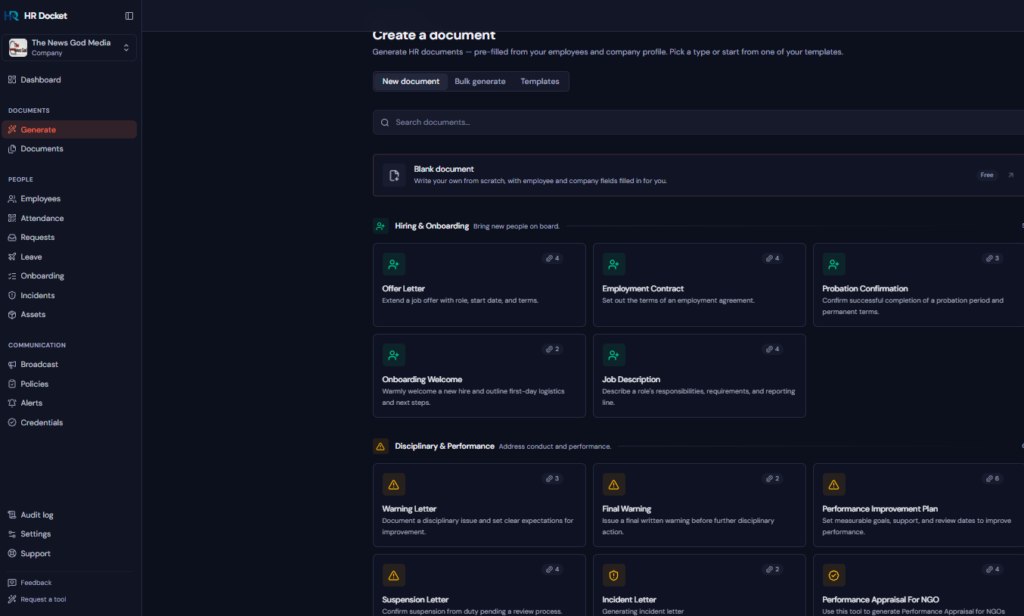
HRDocket is an AI powered freemium HR documentation, employee records, and workplace management platform that helps businesses manage employment documentation from hiring to offboarding. Create AI-assisted HR documents, manage employee records, collect digital signatures, track document expirations, manage policies and acknowledgements, handle employee requests and leave, document workplace incidents, and keep every important employment record organized in one centralized HR workspace.
Key Features:
- Flat-Rate Pricing: Offers a $0 Free Plan (1 employee profile, 10 AI credits/month), a $19/month Starter Plan covering up to 15 employees (or $15.83/month billed annually), a $49 growth plan covering up to 50 employees (or $40.83/month billed annually). A $99 business plan covering unlimited employees (or $82.5/month billed annually)
- AI-Assisted Drafting and Templates
- In Built E-Signatures and Audit Trails
- Integrated Asset Tracking
- Incident Log
- Send Documents in Bulk
- Handbook Generator
- Leave Management
- Automatic Remainder
Pros:
- Flat-rate pricing eliminates per-employee fee which increases as you add new employee.
- HRDocket covers the entire employee lifecycle from onboarding letters to offboarding asset checklists.
- There are no setup fees and a free plan to test workflows before upgrading.
- New user gets 7 days free business plan subscription
Cons:
- HRDocket is not a full HRIS as it strong for HR documentation, compliance workflows, and records rather than running direct deposit payroll.
2. Factorial
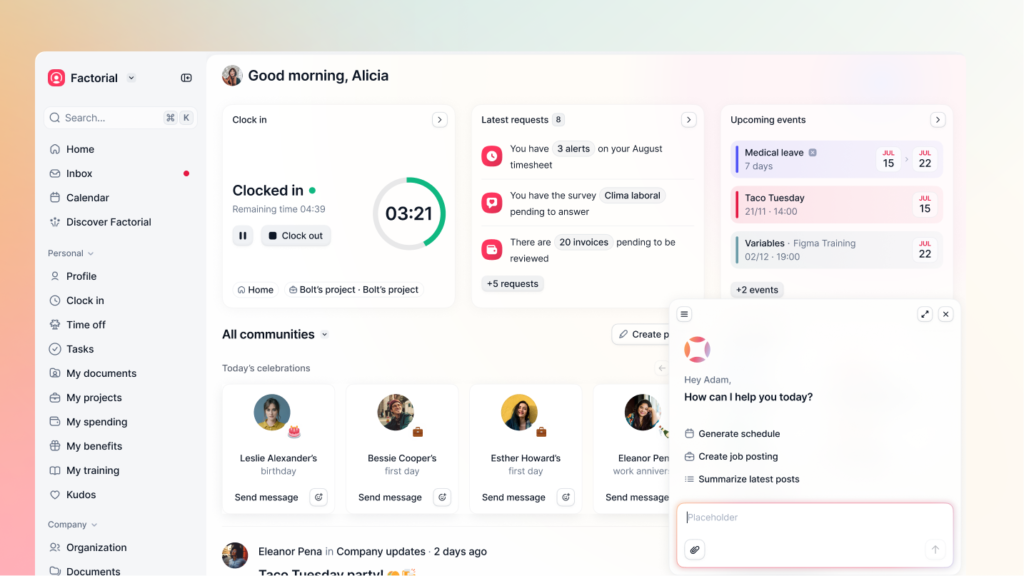
Factorial is an affordable HR operations platform built for small and businesses. It combines document storage, custom folder permissions, and in-built e-signatures with everyday operational tools like shift scheduling, time-off requests, and performance reviews.
Key Features:
- Custom Document Folders
- Native E-Signatures
- Multilingual Interface
- Employee Directory
- Guided Payroll Process
- Payslip Distribution
- Send Documents in Bulk
Pros:
- It has a user-friendly dashboard that is easy for employees to navigate on desktop or mobile.
- The platform combines document sign-offs with attendance and leave tracking in one login.
- It is AI powered
Cons:
- It relies heavily on uploading your own pre-existing PDF templates rather than generating jurisdiction based from scratch.
- It $8 per user monthly can be expensive as headcount increases.
3. Zoho People
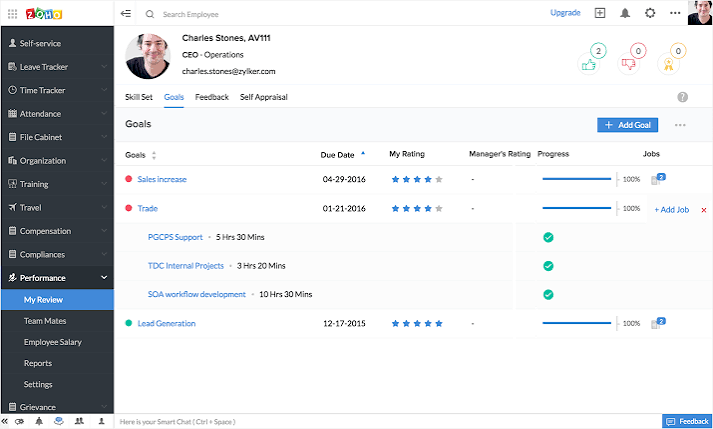
Zoho People is a flexible, budget friendly HR platform designed to small and medium manage their HR needs and scale alongside as the business grow. It offers low-cost entry tiers that cover employee database management, basic document templates, mail-merge letters, and leave tracking.
Key Features:
- Mail-Merge Document Templates
- Zoho Sign Integration
- Custom Approval Workflows
- E-signature
- Talent Management
- Payroll and Expense
Pros:
- Very low and affordable entry price point per user with a free plan available for teams up to 5 users.
- Integrates naturally with Zoho Mail, Zoho Books, and Zoho CRM.
Cons:
- Interface can feel technical to configure compared to modern document builders.
- It lacks built-in attorney-vetted regional labor law engines for complex multi-state handbooks.
4. Gusto (Simple Plan)

Gusto is best known as a small-business payroll provider, but its entry-level Simple plan also handles basic new-hire paperwork, tax forms (W-4, I-9), and standard offer letter templates.
Key Features:
- Automated New-Hire Packets
- In Built E-Signatures
- Direct Payroll Sync
Pros:
- It eliminates duplicate data entry between hiring forms and payroll setup.
- Gusto has a Very simple, guided user experience for first-time employers.
Cons:
- Primarily limited to US domestic payroll and compliance.
- Advanced HR document tools, custom templates, and compliance alerts require upgrading to Gusto Plus which charges $80/month base plus $12/person).
5. PandaDoc
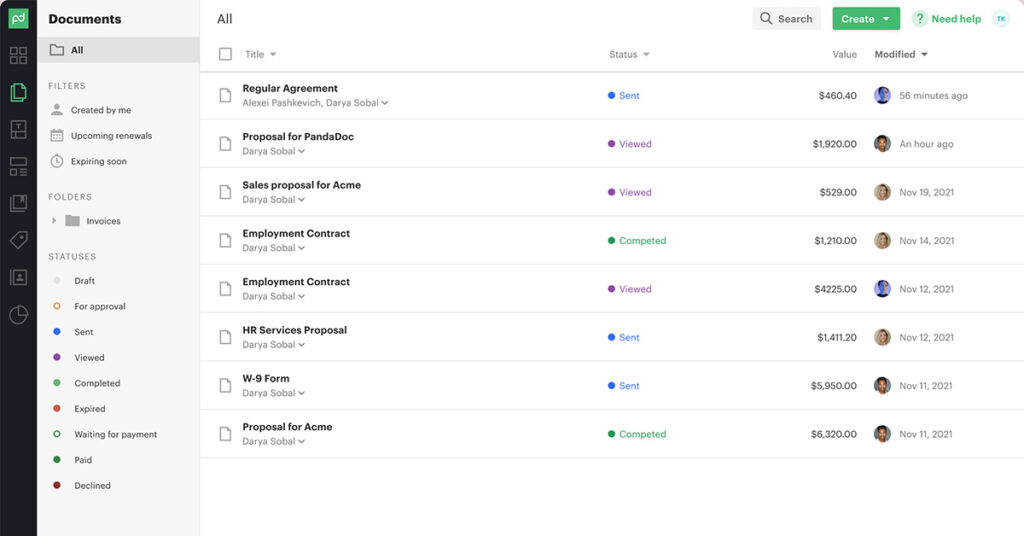
PandaDoc is a versatile document workflow and e-signature platform. While primarily built for sales proposals and client agreements, small businesses often use its free or starter tiers to send HR offer letters and basic employee policies.
Key Features:
- Drag-and-Drop Document Editor
- Free e-Sign Plan.
- Approval Workflows
Pros:
- It can be shared across sales, operations, and HR teams.
- The platform has fast document editor with strong audit trail reporting.
Cons:
- Not an HR platform, because it lacks central employee records, asset tracking, leave balance checks, and jurisdiction-aware HR compliance templates.
- Bulk sending and advanced template automation require upgrading to the Business plan which cost $49 per user monthly.
Frequently Asked Questions (FAQs)
Q1: Why is flat-rate pricing better than per-employee pricing for small businesses?
Per-employee, per-month (PEPM) pricing bits harder when your number of employees is growing. For example, if you pay $10 to $15 per user every month for basic HR software, hiring ten workers immediately adds $1,200 to $1,800 in annual overhead. Flat-rate platforms let you cover your entire team under one predictable monthly bill.
Q2: Can a low-cost HR document generator replace an employment lawyer?
For day-to-day operational documents generations such as s offer letters, probation confirmations, leave approvals, warning letters, and handbook, a jurisdiction base document generator replaces the need to pay a lawyer for routine drafting. However, if you are facing complex issues such as executive equity agreements, mass layoffs, or active wrongful termination litigation, you should still consult qualified legal counsel.
Q3: Are electronic signatures from HR tools legally valid?
Yes. As long as the platform captures signer identity, intent to sign, and a timestamped audit trail. Electronic signatures are legally binding under the US ESIGN Act, UETA, UK/EU eIDAS regulations and most international electronic transaction laws.
Q4: What is the difference between a general document tool (like PandaDoc) and an HR document generator (like HRDocket)?
General document tools give you a blank template for you to write legally compliant HR clauses and manually organizing files, while HR document generators help you generate legal compliant documents by picking employment-specific workflows such as job titles, probation dates, leave balances, and company asset serial numbers directly to employee profiles.
Conclusion
Atr you confuse on the best low cost HR document generator software to adopt for your business? we have done all the analysis for you just pick one from the best five explained with details above and make sure it fit your budget and the features are all what you are looking for.
For me I will recommend HRDocket for you because of it free plan and flat rate pricing. The platform is currently giving new user 7 days free business plan package.