Incidents such as safety mishaps, heated exchanges between colleagues, or formal complaints about harassment or discrimination occur in the workplace at one point or another. But in human resources or employment laws, what you can prove often matters more than what actually happened.
Some incidents can quickly become difficult for HR professionals to manage when details are recorded inconsistently and stored separately from employee records. Accurate and structured employee incident documentation protects organizations from unfavorable legal and financial situations that might follow workplace incidents.
Modern compliance management platforms give HR professionals a structured way to record workplace incidents, complaints, disciplinary matters, and investigations. It also enables them to record supporting evidence and set automated follow-up reminders.
This guide will help HR teams appreciate what belongs in a workplace incident report and how to structure the documentation. It also demonstrates how HR incident management software helps businesses keep workplace incidents accurate, searchable, and audit-ready.
What is Employee Incident Documentation?
Before we go any further, let’s take a moment to understand what workplace incident mean. A workplace incident is an unforeseen event that disrupts normal operations and has the potential to cause harm. Incidents can also include violations of company policies.
In the past, an incident report form was mostly used to record what happened, who was involved, evidence collected, and actions taken. Today, HR teams can generate complete incident reports with AI or reusable templates.
In short, employee incident documentation is the process of creating, organizing, maintaining, and retrieving workplace incident records. Even a minor incident can create unnecessary risk if it is documented poorly.
Modern incident report generators help HR teams to record statements, attach evidence, and keep everything connected to the employee’s permanent records.
According to NIST Global, good incident management is an efficient tool to minimize risks and promote safety culture at the workplace. Modern solutions reduce risks and ensure an effective response during any incident.
What counts as a workplace incident
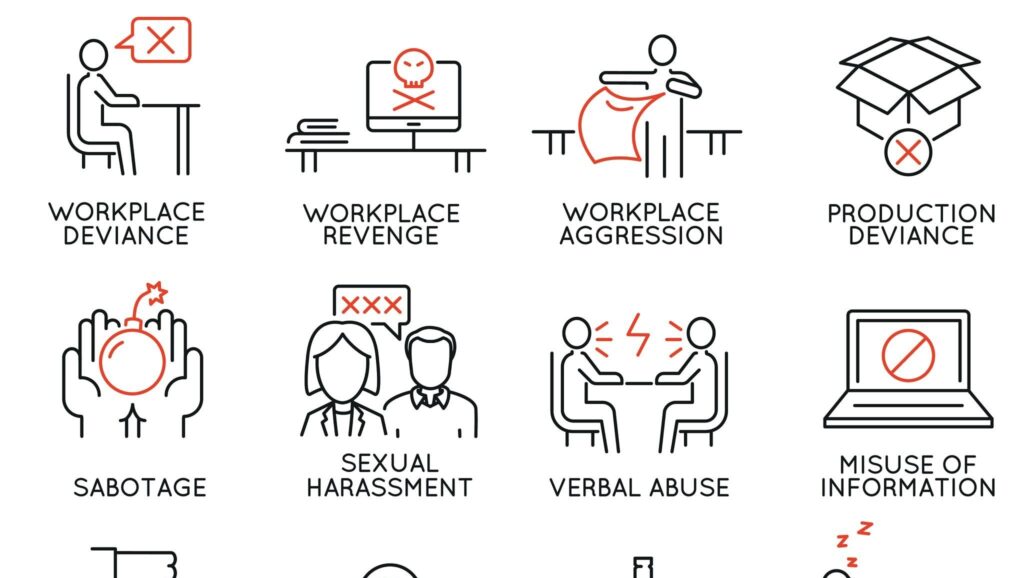
A recent industry review of employee relations group workplace incidents in the following categories:
| Category | Examples |
| Safety & accidents | Physical injuries, near-misses, equipment failures, exposure incidents |
| Conduct & discipline | Policy violations, insubordination, attendance issues, performance write-ups |
| Interpersonal conflict | Disputes between coworkers or across reporting lines |
| Employee complaints | Harassment, discrimination, retaliation, hostile-environment reports |
| Security & property | Theft, data breaches, unauthorized access, property damage |
9 steps to document workplace incidents professionally
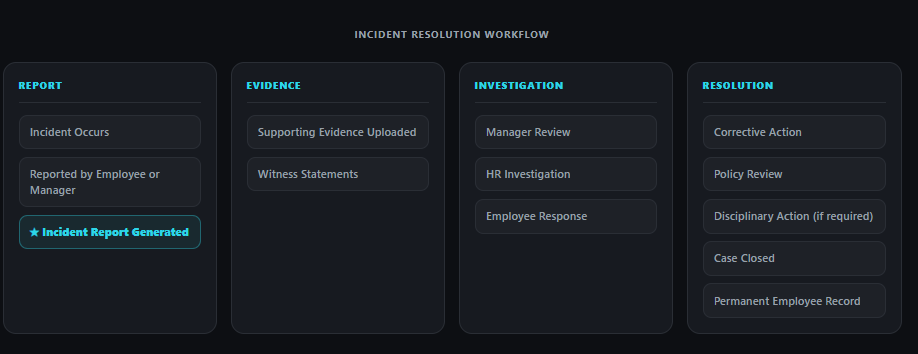
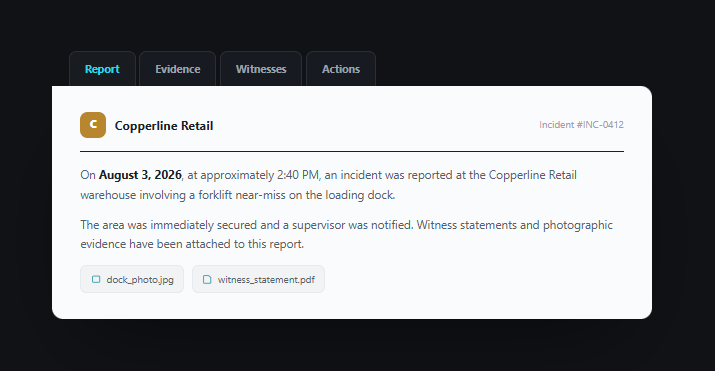
Most incidents that occur in the workplace are not resolved or fully documented in a single day. Many require creating multiple records, such as witness statements, investigations, disciplinary actions and follow-ups.
Managing them manually through disconnected emails, PDFs, and paper files can lead to missing details, inconsistent reports, and scattered evidence. This makes investigations harder and weakens follow-up decisions.
Follow these nine steps to professionally document incidents in your workplace
Step 1: Record the incident immediately.
Document the incident as soon as possible. It is best to record it the same day it occurred because memory degrades fast. Also, reports written weeks after it occurred can be interpreted as an afterthought rather than a current account.
Capture facts and basic details such as the date, time, location, people involved in the incident, who reported it, and immediate actions taken.
Step 2: Separate facts from assumptions.
The second step involves behavior and outcomes. Describe objective behavior and measurable outcomes without leaving room for speculation or emotional language. This makes the report objective while leaving room for investigations.
Avoid assumptions like “John was furious and aggressively slammed the door because he hates the manager. ” Phrases like “furious” and “because he hates his manager” are subjective assumptions.
Instead, say something like, “John left the office, closed the door loudly and shouted ‘I am leaving for the day.’” These details explain what could be seen and heard without guessing any emotional state.
Step 3: Interview everyone involved separately.
Identify and take statements from individuals involved separately. Conducting interviews separately ensures that accounts are not influenced by peer pressure or collaborative storytelling. Try to stick to the events of the incident and avoid unnecessary personal information.
Step 4: Use a standardize and consistent template.
This is one of the most important steps. A standardized incident-report template ensures every case captures the same fields. This is particularly important when records are compared across employees or reviewed for patterns. Instead of relying heavily on incident report templates, HR documentation platforms assist you in generating incident letters faster.
Step 5: Preserve supporting documents
Keep all supporting documents unaltered and securely stored for future reference. These could be written complaints, employee statements, policy records, text messages, or existing HR documents.
Step 6: Document the entire investigation process
If the incident requires an investigation, you need to maintain a clear, chronological record of the steps taken to establish the facts. Strong employee incident documentation platforms automatically put all these documents in the employee profile.
Step 7: Record the employee’s response.
Following the investigation, you need to formally document the response of the employee involved. Where appropriate, the employee’s side should be factual and distinguish between verified events, personal opinions and emotions.
Step 8: Store it in a secure and centralized system
Manual incident management leaves HR teams with loose report forms or scattered email threads. Standalone reports can lead to missing information or difficulty finding scattered evidence. Ensure that all incident reports, evidence, and actions taken are stored in a secured system. Modern incident management platforms help HR teams connect every stage from the first report to the final resolution.
Step 9: Document follow-up actions.
Workplace incident management does not end at documenting processes and taking actions. Some cases need a follow-up. If you are still documenting incidents manually, then you might have to worry about follow-ups. With strong employee incident documentation software, you can schedule an automated reminder for these check-ins. This helps to reduce the risk of missing important deadlines due to heavy workload.
How to document remote or hybrid workplace incidents
Workplace incidents are no longer limited to warehouse accidents and heated arguments between colleagues. Remote and hybrid teams sometimes experience bullying, harassment and security breaches across digital workspaces.
Documenting these incidents requires a specific approach to capture digital data:
Step 1: Secure digital evidence immediately
You need to act fast because employees can easily edit or delete critical evidence such as messages. Take screenshots that contain the timestamps, medium of exchange and senders’ details.
Step 2: Establish an interview protocol
Interview witnesses via a video conference and always record the session with the participant’s explicit consent. Ensure that the notes captured are non-verbal clues.
Step 3: Track digital proximity
Treat collaborative document histories, shared project boards and calendar invites as the physical location of the incident. This helps to establish exactly who had access to the space when the issue occurred.
How to handle anonymous employee complaints
Anonymous reporting is an essential mechanism for uncovering system issues. However, they present unique and investigative challenges.
Step 1: Assess the credibility and specificity of the incident
Evaluate the report based on the details provided. Check if the report contains specific dates, times, named individuals or technical systems that can be verified.
Step 2: Document the good faith intake
Do not attempt to guess or investigate the identity of the anonymous reporter. Log the complaint as received and focus entirely on investigating the allegations.
Step 3: Maintain a one-way communication channel
Use secure portal software that allows HR to reply to the anonymous thread without revealing the sender’s identity. Document your requests and the reporter’s responses for further evidence.
Core elements of an employee incident report
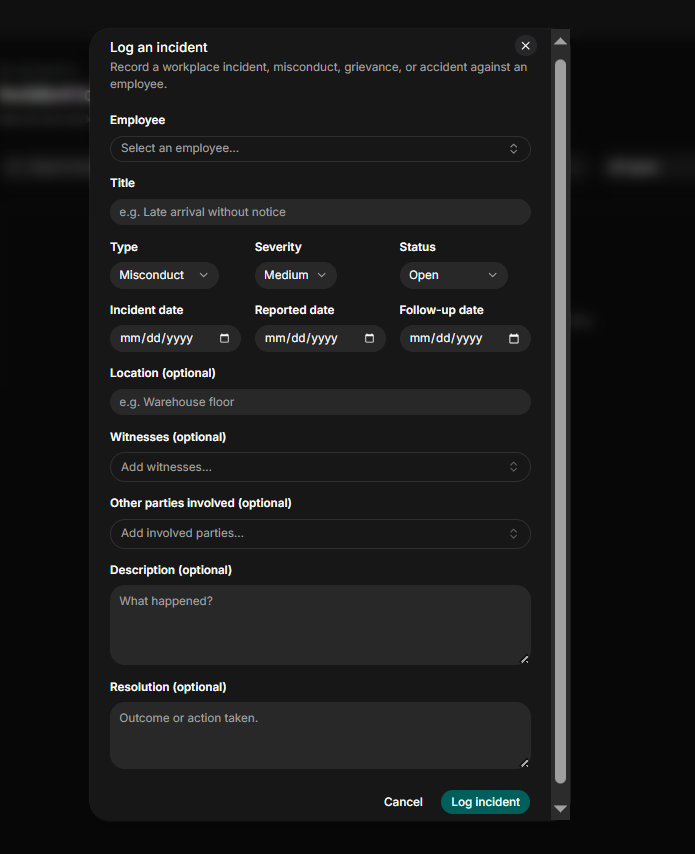
Every incident report should contain scannable and structured data blocks containing these essential elements:
Incident date and time: This field should contain the exact time the incident occurred.
Report date: The incident report should contain when HR or management received the report.
Location: An incident report should contain the exact physical or digital environment where it took place.
People involved: It should clearly state employees, managers, witnesses, and their respective roles.
Incident description: The description of the report should be an objective narrative of the reported events.
Evidence logs: Attach relevant supporting documents such as witness statements, messages and files.
Compliant: Details of the employee complaint where applicable
Investigation steps: Detailed chronological facts established during the review.
Employee responses: The formal statement or defense provided by the subject.
HR actions and outcomes: Document actions taken by HR or management, such as disciplinary measures, mediation or file status.
Follow-up plan: Dates and parameters for subsequent reviews.
Common mistakes to avoid in incident reporting
These are the common mistakes that reduce the effectiveness of employee incident reports.
1. Vague descriptions: When documenting a workplace incident, you need to request specific content. Get to know what happened and how it happened.
2. Ignoring near misses: A near miss can be a hidden risk. It is best to treat it as an early warning instead of ignoring it.
3. Complex processes: Managing workplace incidents manually, especially using long forms, can discourage reporting. The modern platform helps to reduce complexity by using AI to generate structured incident reports.
4. Skipping follow-ups: Sometimes, skipping follow-ups might be due to the workload on HR professionals. However, follow-ups are necessary to ensure that everything returns to normal. Scheduling automated reminders helps to reduce missed follow-ups.
5. Using inconsistent templates: Using different templates or forms can lead to inconsistent reporting. It can make HR professionals document similar incidents in completely different ways.
How to
How HRDocket handles workplace incident documentation
HRDocket is a purpose-built, AI-powered HR documentation, employee records and compliance platform for small and growing businesses.
Unlike most platforms and traditional incident management tools, HRDocket treats incident documentation as part of the employee lifecycle.
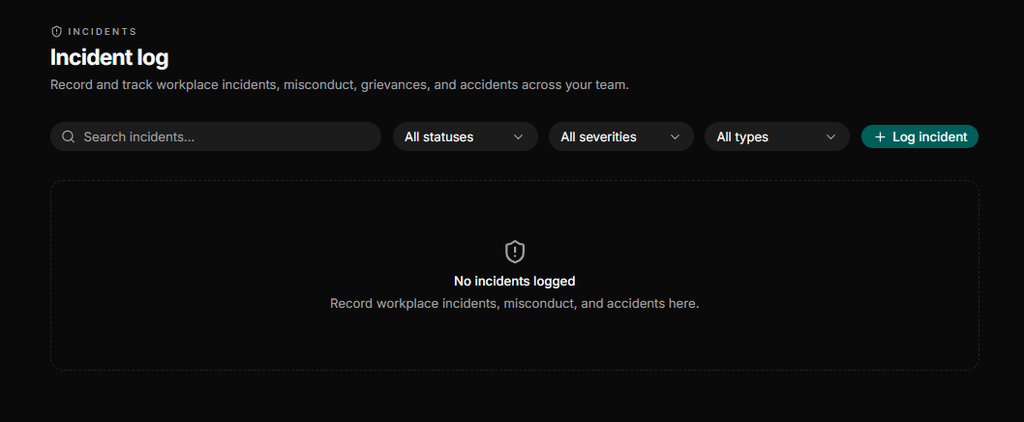
The platform handles workplace incident documentation by providing a structured, secure and centralized workspace to record, track and store all workplace incidents.
HRDocket’s workplace incident records allow HR teams to maintain structured tracking of incidents and investigations. It helps professionals document disciplinary matters, formal complaints, supporting evidence, and follow-up actions.
When an incident requires formal action, the platform allows you to generate standardized HR documents such as Performance Improvement Plans (PIPs), Warning Letters, Final Warning Letters and suspension letters.
Read Also: Best 6 AI-powered offer letter generators for growing businesses
Difference between modern incident documentation and traditional templates
There are a lot of generic incident report samples and templates online. Most traditional templates only handle drafting. These templates fall short in meeting modern compliance, security and searchability needs. Dedicated incident management platforms like HRDocket integrate incident logs and tracking directly into the employee lifecycle.
| Feature | Modern platforms (e.g HRDocket) | Generic Chatbots | Word templates | Google docs/Spreadsheets |
| AI-generated reports | Yes | Yes | No | No |
| Reusable template | Yes | No | Limited | Limited |
| Evidence attachment | Yes | No | No | Limited |
| Centralized and searchable storage | Yes | No | No | Limited |
| Employee records integration | Yes | No | No | No |
| Electronic acknowledgement | Yes | No | No | No |
Benefits of using HRDockets for Incident Reports
- Save time: With HRDocket, you can generate a complete incident report in minutes with a template or AI.
- Strengthen investigations: The platform records all evidence, statements and findings in the employee profile. This makes it easy to find relevant documents where needed.
- Standardized reporting: The platform ensures incident reporting is uniform across the whole organization.
- Reduce administrative work: HRDocket cuts the administrative tasks of HR teams by reusing employee information instead of writing every detail from scratch.
- Support compliance: The platform helps protect your organization by documenting incidents consistently and reliably. It also keeps every incident connected to the employee.
Frequently Asked Questions
What is a workplace incident report?
A workplace incident report is a formal record of an unforeseen event such as a safety issue, personal conduct or policy violation.
What is employee incident documentation?
Employee incident documentation is the process of recording workplace incidents, investigations, supporting evidence and follow-up information. Dedicated incident management platforms connect all these processes to the employee profile.
What should be included in an incident report?
A workplace incident report should include the date, time, location, description of what happened, witness statements, supporting evidence, individuals involved and corrective actions taken.
Why is employee incident management documentation important?
Incident documentation gives HR professionals a reliable record of what was reported, what was investigated, the evidence, and the actions taken.
Can AI document employee incident reports?
Modern HR documentation platforms can use AI to document workplace incidents and generate incident letters.
When should an incident be filed?
The incident should be filed as soon as possible. It should be done when the details are fresh, and evidence can be easily collected.
What happens after an incident is reported?
After an incident is reported, evidence is reviewed, followed by an investigation. The investigation then determines the corrective actions to be taken and follow-ups.
Can an incident lead to a disciplinary action?
Yes. Some incidents often result in disciplinary actions. Modern platforms like HRDocket feature a full package of HR document generators, such as warning letters, suspension letters, and other standardized documents.
Should an employee sign an incident report if they disagree with the claims
Yes. The signature indicates that the employee received and reviewed the document even if they disagree with its content. If the employee refuses to sign, you have to note their refusal on the form alongside a witness signature from an HR representative.
Every document becomes part of the employee’s permanent record
Spend less time buried in HR paperwork and more time growing your business. Generate documents, organize employee records, and simplify HR operations; all from one place.
No credit card required · Cancel anytime · Set up in under 5 minutes