
Many businesses still rely on spreadsheets for managing employee records. While this approach may seem manageable at first, team growth quickly leaves files scattered across tabs, email threads, and folders. Missing a critical update or losing a document isn’t just frustrating; it exposes your business to several compliance risks.
The right employee records management software eliminates this chaos and gives HR managers and teams a centralized system for storing employee records, organizing documents, and collecting digital signatures. It also helps you track important dates, document workplace incidents, and maintain a reliable HR records system.
In this guide, we compare the top HR platforms known for their strong employee records management capabilities. We evaluated HRDocket, HR Acuity, Rippling, Workday and Personio to help you find the right fit.
TL;DR
| Platform | Why choose |
|---|---|
| HRDockect | HRDocket is best fit for small and growing businesses that need centralized employee records, document management, expiration alert, policy management, e-signatures, and incident documentation without adopting a full enterprise HCM suite. |
| HR Acuity | HR Acuity is best for employee relations and workplace investigations. |
| Rippling or Personio | Rippling and Personio are stronger choices for businesses that need broader HR operations. |
| Workday | Workday is better suited to complex enterprise environments |
What is Employee Records Management Software?
Employee records management software is a centralized system for maintaining records of each employee, including personal information, employment documents, HR actions, acknowledgement and supporting documents. Modern human resources software solutions have specialized features such as version history, retention rules, permission-based access, and searchability, which are often missing in traditional cloud storage.
Unlike basic cloud storage, employee records software connects every document and HR event to the correct employee. Modern platforms centralize HR documents such as contracts, disciplinary records, policy acknowledgements, certifications, and other HR paperwork instead of forcing HR teams to manage disjointed folders. This structural connection allows HR teams to locate any employee records in seconds, transforming static data into an organized, accessible timeline.
Every stage of the employment cycle from hiring to offboarding creates information that can become part of the employee’s employment history.
Employee record keeping is not one of the things businesses can decide to do or not. It is an important part of compliance. In the United States, EEOC’s recordkeeping requirements outline the baseline most HR teams design their retention and documentation policies around.
Manual and spreadsheet-based recordkeeping is one of the leading sources of audit risk for mid-market employers. Missing signatures or expired contracts can have severe consequences on business operations.
Common problems of traditional recordkeeping
| Software | Best for | Employee Records | Expiration Alerts | Policy Acknowledgement | Digital Signatures | Incident Log | Pricing model |
|---|---|---|---|---|---|---|---|
| HRDocket | Small and growing businesses | Yes | Yes | Yes | Yes | Yes | Transparent tiers |
| HR Acuity | Employee relations & investigations | Case-focused | — | — | — | Yes | Custom quote |
| Rippling | All-in-one HR automation | Yes | Yes/Workflow | Yes/Workflow | Yes | —/Workflow | Modular per employee |
| Workday | Large enterprises | Yes | Yes/Workflow | Yes | Yes | —/Workflow | Enterprise custom quote |
| Personio | SMB and mid-market HR | Yes | Yes | Yes/Workflow | Yes | —/Workflow | Per employee, tiered |
What should every employee record management software include?
Some of the key features to look for in employee record management software include:
Centralized and searchable profiles
A key feature of an employee recording system is the ability to store everything in one secured place. This allows you to store employment contracts, NDAs, onboarding documents and vital HR documents all linked to the right employee.
Employee file management
Good management software should go beyond basic storage by providing indexing, version control, e-signature support, and access logs. This helps you securely handle employee files and maintain compliance.
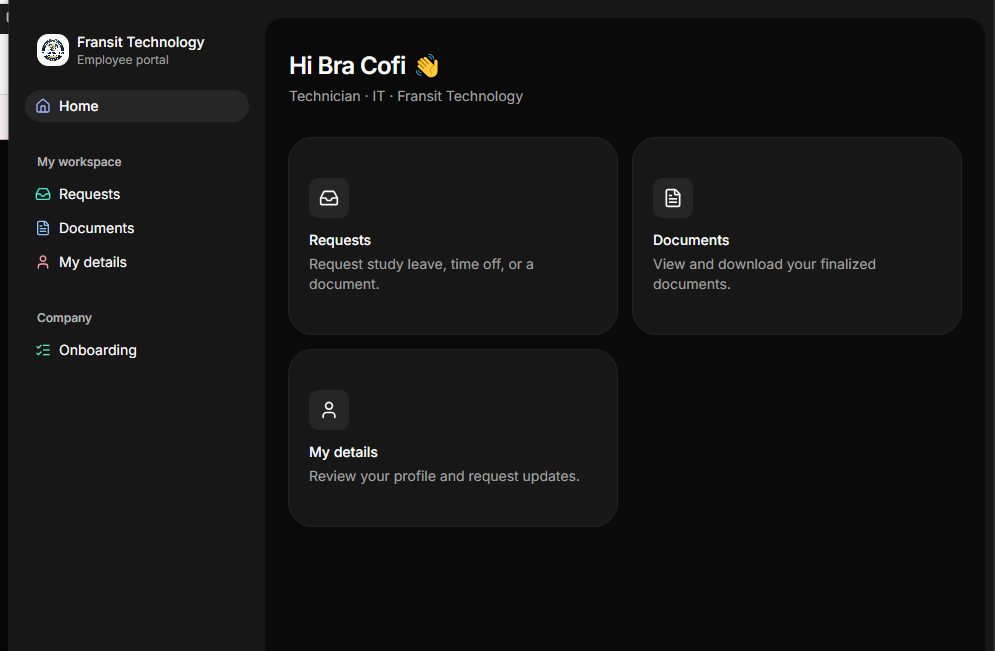
Employee self-service portal
Empowering employees to update their personal information, view their files, or access important information saves HR teams hours of manual administrative work.
Compliance tools and audit readiness
Look for tools that support labor-law compliance. A strong platform should be able to record every view, and edits and deletions should be logged with a timestamp and user ID.
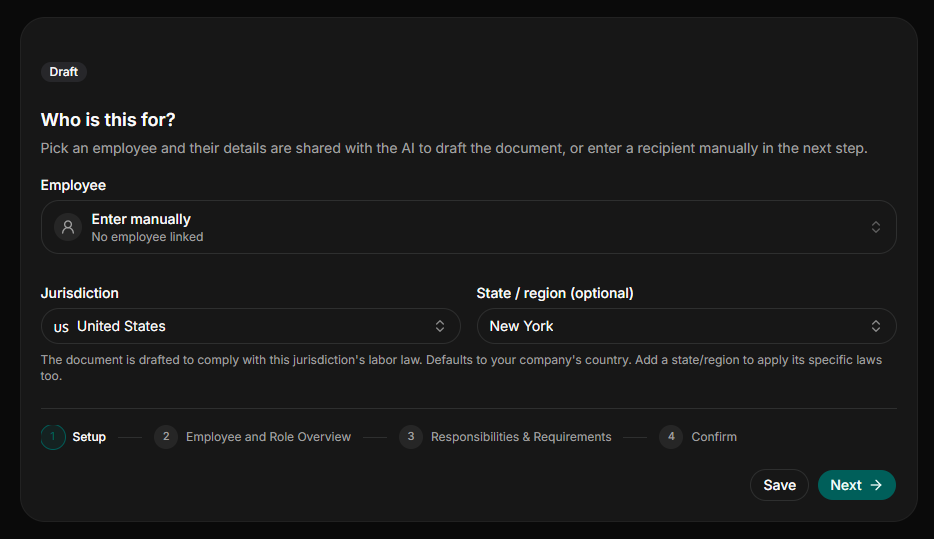
Automated document generation
Strong employee records software allows you to generate standardized HR documents such as offer letters, employment contracts, NDAs, onboarding welcome letters and more directly within the platform using dynamic templates.
Integrated digital signature
Legally binding e-signatures should be built directly into the workflow. Signed documents must automatically save to the employee’s profile, eliminating the need to print, sign, scan, and manually upload files.
Proactive expiration reminders
The system should automatically remind HR teams about important dates and deadlines, including expiring contracts, licenses, visas and other HR documents.
Role-based access controls
Employment data contain sensitive employment information, which should not be accessible to everyone in the organization. Access to some information should therefore be controlled according to organizational roles and permissions.
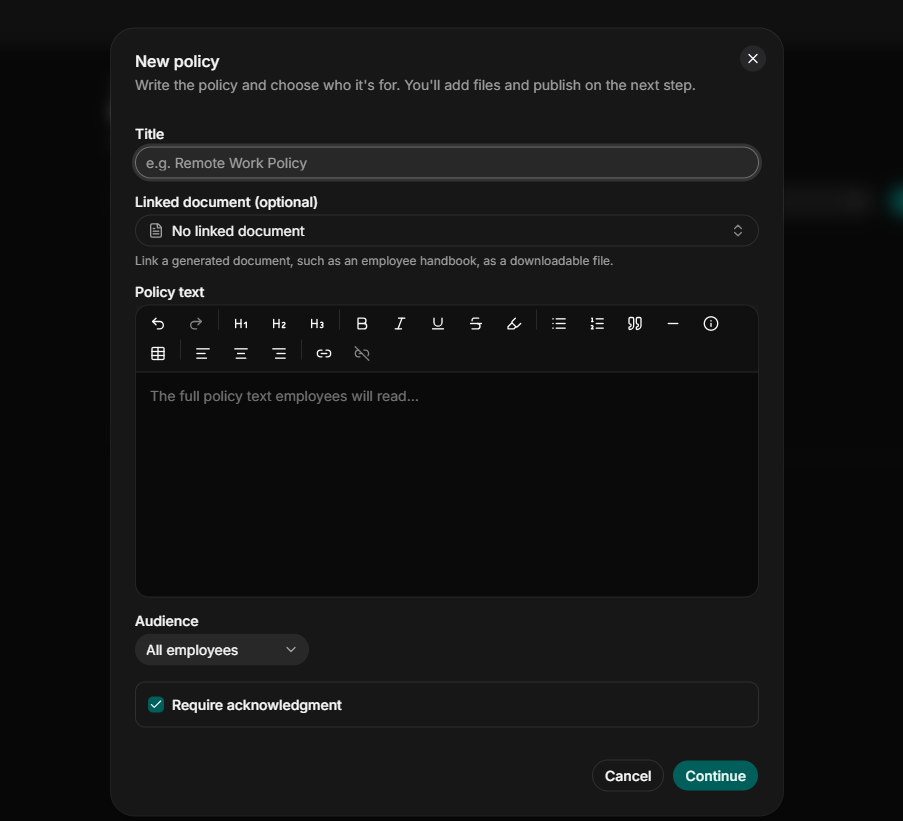
Policy acknowledgment tracking
When company policies, handbooks, or safety guidelines are published or changed, the software should track exactly who reviewed and acknowledged the new terms and when.
Top employee records management software this year
Choosing employee records management software requires more than comparing the number of features listed on each vendor’s website. The platforms listed here serve different types of organizations and solve different problems. We evaluated the top HR platforms against core pillars, including document security and organization, compliance automation, user experience, and scalability.
What we evaluate:
- Document Security and Organization examines employee profiles, centralized document storage, signatures, document history, permissions, searchability, and record organization.
- Compliance Automation examines expiration alerts, policy acknowledgements, compliance workflows, incident documentation, audit trails, and other controls that reduce manual HR administration.
- User Experience considers workflow clarity, document creation, ease of navigating employee records, administration and employee self-service.
- Scalability considers employee capacity, integrations, organizational complexity, multiple locations/entities, workflow depth and suitability for growing organizations.
HRDocket
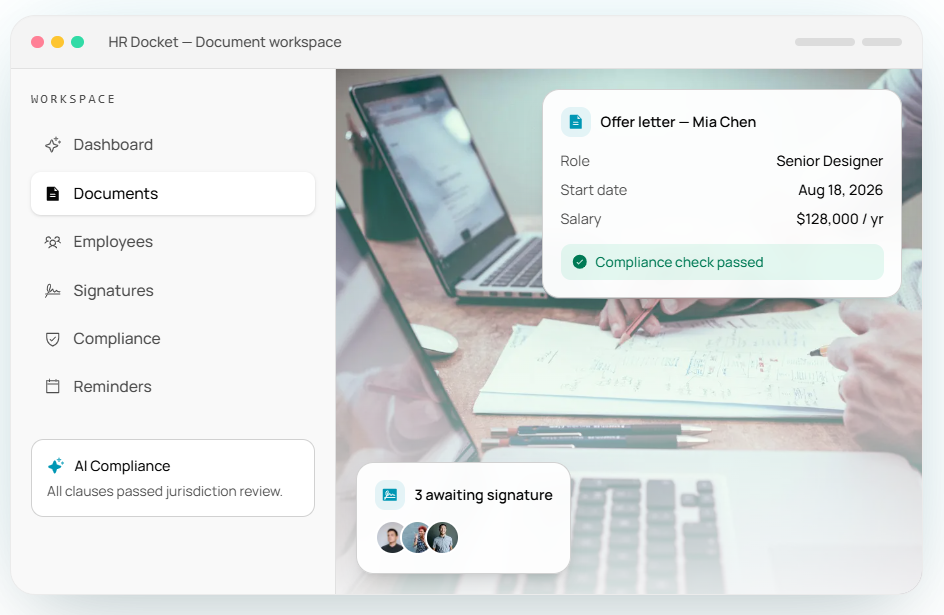
HRDocket is modern HR documentation, employee records management and workplace compliance software built around the entire employment cycle from hiring to offboarding.
While most HR platforms are organized around core modules such as payroll, time-tracking, and recruiting, employee records sit in scattered computer desktops, filing cabinets, and email threads. HRDocket addresses this by connecting every document directly to the employee records. Instead of treating offer letters, employment contracts, warning letters, policy acknowledgements or incident reports as independent files, the system integrates them into a single timeline.
The platform provides centralized employee profiles, secure document storage, version history, expiration reminders, built electronic signatures, access controls and audit trails. This makes HRDocket particularly valuable for businesses whose primary problem is managing HR documentation and employee records scattered across Word documents, email, spreadsheets and cloud folders.
Key features
Employee records: HRDocket provides centralized employee profiles that contain employment information and associated HR documentation in one secure timeline.
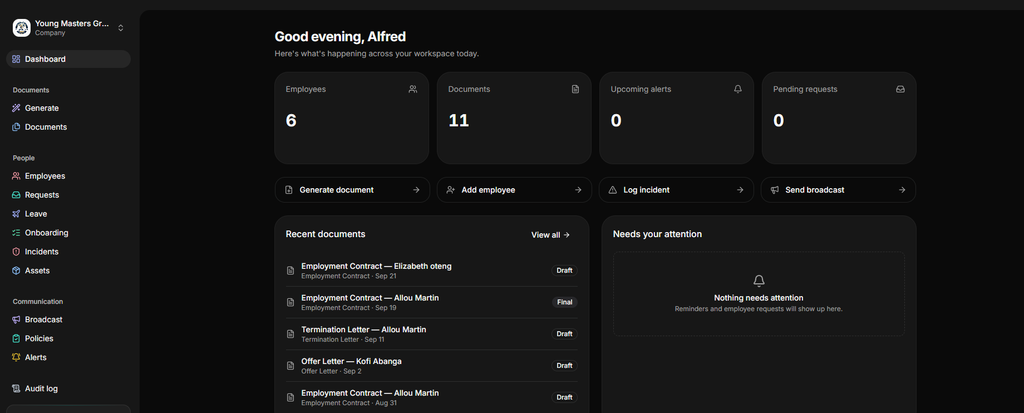
AI-powered document generation: The platform can generate over 21 standardized employment documents, including job descriptions, employment contracts, warning letters, promotion letters, salary letters, PIPs, termination letters, and reference letters. It automatically pulls company and employee data to eliminate repetitive data entry.
Electronic signatures: HR teams can route documents for legally binding signatures without printing or downloading files. Employees can securely sign documents electronically directly within their self-service portal.
Expiration reminders: The platform monitors documents with expiration dates and alerts HR before action is required.
Policy acknowledgement: Organizations can publish or update policies and track who acknowledged them. This helps HR teams to maintain evidence of employee acknowledgement.
Incident Records: Workplace incidents and employee relations documentation can be maintained as part of the employee’s broader records.
Access control: HR documents and employee profiles are at rest and in transit, with role-based access control and audit trails for record activity.
Pros and Cons
Pros
- Employee-centered record structure: The platform links all documents and HR actions to the employee.
- AI-assisted HR document generation: It accelerates workflows with automated templates for over 21 professional HR documents
- Bulk document generation: It saves time in creating employee documents manually or individually.
- Transparent entry-level pricing: The platform offers highly competitive, flat-rate tiers suitable for small and growing businesses.
- Policy acknowledgement and compliance tracking: The platform features built-in policy acknowledgement timestamped audit logs.
Cons
- Not a full HRIS: The platform is currently HR documentation-focused and is yet to feature native payroll and benefits systems.
- It might not be suitable for large enterprises: HRDocket might not fit complex organizational hierarchies of massive multinational corporations.
HR Acuity
HR Acuity’s primary specialization is employee relations and HR case management rather than general employee document management.
The platform centralizes employee relations cases, investigations, conversations, documentation and outcomes in one secure platform. It is more relevant when employee records management includes significant employee relations, investigation and workplace-risk requirements.
Key features of HR Acuity
HR case management: The platform provides a centralized environment, a secured platform specifically dedicated to managing sensitive employee-relations cases and investigations.
Structured investigation workflows: HR Acuity uses structured workflows and templates to help HR teams handle employee relations cases consistently.
Audit-ready documentation: The software emphasizes complete documentation from the opening of a case through resolution, with records designed to support audits and legal review.
Analytics: The platform allows organizations to analyze case volume, duration, status, resolution time and other employee-related metrics.
Role-based Access controls: It protects sensitive employment records from unauthorized internal views using role-based access controls.
Pros and cons
Pros
- Strong employee-relations case management
- Investigation workflows
- Structured documentation
- Audit-ready records
- Analytics and benchmarking
Cons
- More specialized than a general employee records platform
- Less focused on everyday HR document generation
- May be unnecessary for businesses that primarily need employee files and HR documents
- Pricing is quote-based
Rippling
Rippling positions itself as a complete workforce platform that unifies HR, payroll, IT and finance operations. Its core HR functionality includes employee data, onboarding and offboarding, document management, policies, permissions, workflows and compliance capabilities.
The platform’s document capabilities securely store employee files, automate workflows, and track audits from offers through tax documents. Its employee management advantage is that employee documents can exist inside a broader workforce system.
Key features
- Centralized employee records: Seamlessly connects employee profile data with payroll, benefits, and IT in one unified system.
- Digital document management: Rippling automatically generates, routes, tracks and archives documents during onboarding and transitions.
- Comprehensive lifecycle tracking: The platform maintains strict audit trails for every file from the moment an offer is extended through final offboarding documentation.
- IT administration: It automatically links employee records to device management, allowing HR to provision laptops and app access based on the worker’s profile.
Pros and cons
Pros
- Broad workforce-management capabilities
- Employee documents connected to workforce data
- Extensive integrations
- Strong workflow automation
- Strong workflow automation
Cons
- Pricing is not fully transparent without a quote
- Broader functionality can increase complexity
- It might be too expensive for small businesses
Workday Human Capital Management (HCM)
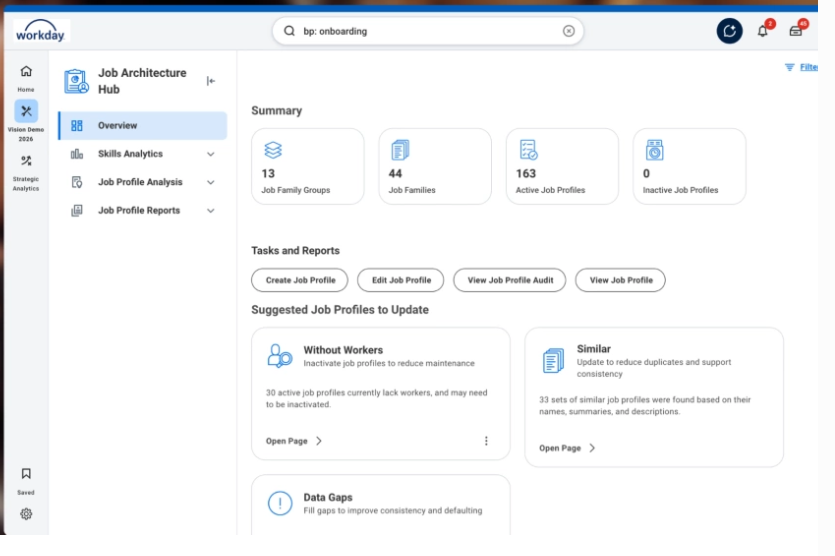
Workday HCM is an enterprise-grade human capital management suite that covers core HR, payroll, talent, and workforce management. It is broader than a dedicated employee-documentation tool.
The platform connects HR data and complex business processes across the organization. Its HCM suite includes workforce planning, analytics, talent management, employee experience, benefits, payroll, recruiting and compensation.
For organizations with complex employee records, Workday provides substantial security, permissions and audit compliance.
Key features
Core human capital management: It centralizes employee and organizational information.
Advanced security: It uses role-based security and configurable access controls.
Audit trails: The platform provides reports and user activity logs showing changes to business processes and configurations.
Compliance: It maintains a broad security and compliance program, including SOC and ISO certifications for applicable enterprise products.
Global workforce management: Workday is designed to support global organizations with different jurisdictions, entities and workforce structures.
Pros and Cons
Pros
- Large integration ecosystem
- Enterprise scalability
- Extensive HR workflows
- Global workforce support
- Extremely broad HCM functionality
Cons
- Configuration can require specialist expertise.
- Implementation can be substantial.
- Pricing is not publicly listed as a standard package
Personio
Personio is a comprehensive HR platform that focuses on core HR and people operations. The platform sits between a focused employee documentation platform and a broader HCM system.
Its core plan includes employee profiles, document management and eSignatures, analytics and reporting, workflow automation, time tracking and preliminary payroll. Core Pro adds capabilities such as unlimited documents and eSignatures, expanded permissions, workforce planning and API access.
Key features
- Digital employee files and comprehensive profiles
- Unified document management with e-signature
- Automated HR workflow tools
Pros and Cons
Pros
- Strong digital employee files and central document storage
- Broader core HR functionality
- Time and absence management
- International workforce support
- Large integration ecosystem
Cons
- Pricing requires a custom quote
- Advanced document and eSignature capabilities depend on the plan
- Broader HR functionality may be more than a documentation-focused buyer needs
Head-to-Head Feature Comparison
| Capabilities | HRDocket | HR Acuity | Rippling | Workday | Personio |
|---|---|---|---|---|---|
| Employee record management | Core strength | ER-focused | Strong | Enterprise grade | Strong |
| Employee profiles | Yes | Case-focused | Yes | Yes | Yes |
| Centralised employee records | Yes | Case-focused | Yes | Yes | Yes |
| Document search | Yes | Case documentation | Yes | Yes | Yes |
| Expiration alerts | Yes | – | Yes/Workflow | Yes/Workflow | Yes |
| Policy acknowledgement | Yes | – | Yes/Workflow | Yes | Yes/workflow |
| Digital signatures | Yes | – | Yes | Yes | Yes |
| Payroll | – | – | Yes | Yes | Yes/Regional |
| Analytics | HR Records-focused | ER analytics | Strong | Advanced | Strong |
Pricing comparison
Pricing for various Employee management software varies. Some employee records platforms offer transparent pricing tiers, while most HRISs maintain a custom quote.
| HRDocket | HR Acuity | Rippling | Workday | Personio | |
| Published, transparent pricing | Yes | No | No | No | No |
| Self-serve singup | Yes (No credit card required) | No (Sales demo required) | No (Sales demo required) | No (Sales led only) | No (guided demo only) |
| Free plan | Yes | No | No (trial period only, no free tier) | No (30 days trial) | No |
| Built for small and growing business | Yes | Mid-size and enterprise | SMB to enterprise | Primarily enterprise | Yes |
How to Choose the Right Employee Record Keeping Software
The size and needs of your organization determine the software you should choose. The platform that matches current employee records management needs is the best fit for you.
| Platform | Primary Focus | Best Employee Records Use Case |
| HRDocket | HR documentation & employee records | Centralized employee files and HR paperwork |
| HR Acuity | Employee relations | Incidents, investigations and case documentation |
| Rippling | HR + workforce automation | Employee records integrated with broader HR workflows |
| Workday | Enterprise HCM | Complex employee data and enterprise HR infrastructure |
| Personio | SMB/mid-market HR | Digital employee files and broader HR operations |
Best Choice for Medium and Small Businesses
For small and medium businesses in the United States, Canada, the UK, and places where employee regulations are dynamic by state and industry, HRDocket is your best employee record software and compliance shield. Choosing a leading platform that offers centralized employee recordkeeping is non-negotiable for HR teams. Choose HRdocket if you work at a company with 250-1k employees and are looking for the best employee records management software that doesn’t require sales calls.
Frequently Asked Questions
What is the difference between employee records management software and a complete HRIS?
A full Human Resources Integration Software (HRIS) combines records management alongside payroll, benefits, and talent modules, while an employee records software focuses specifically on documents, compliance tracking, and audit trails.
What is employee records management software?
Employee records management software is a digital platform for storing, organizing, updating, retrieving, and managing employee information and HR documents. Modern platforms help HR managers and teams to centralize employee profiles, contracts, identification documents, policy acknowledgements, certifications, signed forms, performance records, incident documentation, and offboarding paperwork in one secure system.
Do small businesses need employee records management software?
Employee records software assists small businesses to eliminate scattered spreadsheets, shared folders, email attachments, and paper files. A focused platform can also be easier to implement than a full enterprise HCM suite.
Can employee records software track document expiration dates?
Modern employee records software like HRDocket can track expiration dates for documents such as certifications, licenses, work permits, visas, contracts, and insurance records. They send automated reminders before a deadline so HR teams can take action before a document expires.
What security features should employee records software include?
Employee records contain sensitive personal and employment information. Therefore, businesses should look for platforms with role-based access controls, secure document storage, audit trails, and authentication controls.
How much does employee records management software cost?
There are no fixed prices for employee records systems. Most platforms set prices around the number of employees, pricing modules, document volume, users, integrations, and implementation requirements.
Every document becomes part of the employee’s permanent record
Spend less time buried in HR paperwork and more time growing your business. Generate documents, organize employee records, and simplify HR operations; all from one place.
No credit card required · Cancel anytime · Set up in under 5 minutes