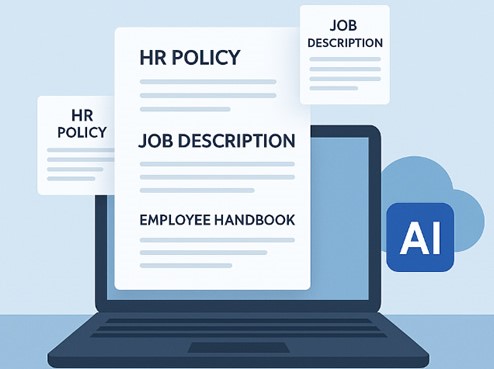
If you’ve spent any time this month searching for HR documentation software, you’ve probably run into the same wall most HR teams hit eventually: plenty of tools that store documents, very few that actually write them. A shared drive full of old templates isn’t a system. Neither is a document platform that makes you build every offer letter and warning letter from scratch, one field at a time, with no idea whether what you just typed would actually hold up if someone challenged it later.
That gap is exactly what HRDocket was built to close, and it’s a big part of why it’s the strongest pick for HR documentation software right now. Not “strongest” in a vague, marketing-brochure sense, but strongest in a specific, checkable way: it generates the actual documents with AI, ties every one of them to a real employee record, and just finished rounding itself out with five new products that push it from “a very good document generator” to something closer to a complete HR documentation system. That’s the “this month” part of the headline, and it’s genuine, not a seasonal hook. More on exactly what changed further down.
What to Look For in HR Documentation Tools
Before naming a winner, it’s worth being honest about what actually separates a good HR documentation tool from a mediocre one, because the category is crowded with software that looks similar on a pricing page and behaves very differently once you’re actually using it day to day. A few questions are worth asking of anything you’re evaluating:
- Does it generate documents, or just store templates you still have to fill in yourself? These are very different products wearing the same marketing language. A template library saves you from starting with a blank page. AI generation actually drafts the thing.
- Is the drafting aware of employment jurisdiction, or is it generic boilerplate with your logo on it? An offer letter that ignores the legal specifics of where your employee actually works is a liability wearing the shape of a solution.
- Does each document connect to a real employee record, or does it just live as an isolated file? This is the difference between a document tool and an actual system of record, and it matters enormously the first time you need to reconstruct someone’s full employment history.
- Is pricing transparent and self-serve, or gated behind a sales call? You can usually tell a lot about a product’s confidence in its own value by whether it lets you see the price before talking to anyone.
- Does it cover the full employee lifecycle, or just one moment in it? Hiring, onboarding, day-to-day employment, incidents, leave, and offboarding all generate documentation. A tool that only handles one of those stages will eventually leave you patching together two or three separate systems anyway.
Measured against exactly that list, HRDocket is the platform that answers “yes” to all five, and it’s worth walking through why in some actual detail rather than taking that on faith. It’s also worth noting what this list deliberately leaves out. It doesn’t ask whether a tool has the most template designs, or the flashiest interface, or the longest feature list on a comparison page. Those things matter far less than whether the document you generate at 11pm, under pressure, for a situation you didn’t plan for, comes out correct. That’s the actual job HR documentation tools exist to do, and it’s the standard worth holding every option in this category to.
Why HRDocket Is the Best HR Document Management Software Right Now

The core of HRDocket is a genuine AI document generator covering 21 or more distinct HR document types, spanning the entire employee lifecycle: offer letters, employment contracts, job descriptions, warning letters, performance improvement plans, termination letters, employee handbooks, and more. That’s not a template library with a search bar. Each document is actually drafted, using AI, your company’s information, and logic specific to the employment jurisdiction you select, so the letter you generate reflects the regional context that actually applies to your situation instead of treating every location the same way.
The mechanics of how that works are straightforward in practice, even though the drafting underneath is doing real work. You pick a document type from the full library, fill in a guided form (most of which auto-populates from information already on file for that employee), and HRDocket produces a draft that’s ready for review rather than a blank template waiting for you to write it. You review it, make any edits, and either send it out or route it for a signature. What used to take twenty minutes of careful drafting, or worse, quietly copying last year’s version and hoping nothing important changed, now takes a few minutes and starts from something actually correct.
The review step is worth dwelling on for a moment, because it’s easy to assume “AI-generated” means “unreviewed,” and that’s not how HRDocket is built to work. Nothing goes out automatically. The generated draft sits in front of you as a starting point that’s already correct in structure, tone, and jurisdiction-specific detail, and you’re still the one deciding it’s ready to send. That’s a meaningful difference from either extreme in this category, fully manual drafting where every document is a blank page, or fully automated sending where nobody actually reads what went out. HRDocket sits deliberately in between: fast enough that generating a document stops being a chore, but never skipping the human judgment that a document representing your company genuinely needs.
The distinction that matters most in this category isn’t features on a comparison table. It’s whether a platform generates your documents or just stores the ones you already wrote yourself.
It’s worth being direct about where this puts HRDocket relative to the rest of the category, because the differentiation is real and specific, not just marketing framing. Plenty of HR document management software falls into one of two camps. The first is generic document automation platforms, built for sales proposals and contracts rather than HR specifically, that can technically be used to send an HR document but were never designed to draft one. The second is broader HR information systems that treat documentation as a minor filing feature bolted onto attendance tracking and performance reviews, with no AI drafting at all. HRDocket sits in neither camp. It’s purpose-built specifically for HR documentation, which is exactly why it handles the details, jurisdiction, tone, structure, that a repurposed sales tool or a bolted-on filing cabinet never quite gets right. Readers who want the detailed side-by-side on any of this can see the full breakdowns in the PandaDoc comparison or the Zoho People and DocuWare comparison, both worth a look if you’re actively weighing alternatives.
Employee Records Management Software That Documents Actually Connect To
This is the section that separates HRDocket from a plain document generator, and it’s arguably the more important half of the product, even though document generation gets most of the attention. Every document HRDocket produces files itself automatically to the relevant employee’s record. There’s no separate step where you have to remember to save it somewhere sensible, and no risk of a signed contract ending up in someone’s downloads folder, never to be found again during an audit eighteen months later.
The underlying architecture is genuinely simple, which is exactly why it works: one employee record per person, holding their complete document history, searchable, permanent, and connected to everything else that happens during their employment. That single design decision is what makes HRDocket function as real employee records management software rather than just a folder structure with a nicer interface. It’s also what makes two other features actually useful rather than theoretical. Expiration Alerts only works because the system already knows which documents exist and when they expire, it can’t remind you about something it doesn’t know is there. And Policy Acknowledgement Tracking only means anything if you can actually see, at a glance, who has and hasn’t acknowledged the current version of a policy, tied to their specific record, not a spreadsheet someone updates manually and forgets about.
It’s worth being specific about what “connected” actually means in practice, since the word gets used loosely enough in software marketing to become meaningless. On HRDocket, opening a single employee’s record surfaces every document ever generated for them, every signature they’ve provided, every policy they’ve acknowledged and when, every incident logged against their name, and every leave request they’ve submitted, all in one place, all searchable, all filterable by date or document type. Reconstructing someone’s full employment history stops being an archaeology project through old email threads and becomes a matter of opening one page. That’s the practical difference between employee records software that merely stores files and one that actually functions as a system of record.
This is also the foundation that everything covered in the next section is built on top of. None of the newer additions to the platform would make much sense without a real employee record sitting underneath them.
Beyond Documents, What’s New This Month
Here’s the part of the headline worth taking literally. HRDocket recently rounded out its platform with five additional products, and the honest reason this matters is that it changes what kind of tool HRDocket actually is. Before these additions, it was an excellent document generator with a genuinely useful records system attached. Now it’s closer to a full employee document management software platform, one that handles not just the paperwork itself but the ongoing operational events that generate paperwork in the first place.
- Incident Log: workplace incidents, disciplinary matters, and complaints, recorded directly in the employee’s profile, with supporting evidence and HR follow-up actions kept together rather than scattered across email threads and someone’s personal notes.
- Leave Management: employees submit requests through their own workspace, a manager or HR reviews and decides, and leave balances calculate automatically, with the eventual approval letter generated directly from the approved request instead of as a separate manual step.
- Asset & Property Management: tracks what’s been issued to which employee, laptops, badges, equipment, and its return status, so nobody’s guessing who has the company laptop six months after they’ve left.
- Company Broadcast: sends announcements to the entire team directly through the platform, with confirmed delivery, instead of relying on an email that half the company will never open.
- Bulk Document Generation: select a group of employees and generate the same document type for all of them in a single action, each one individually personalized and filed to its own employee record, useful for anything from an annual policy rollout to onboarding an entire new hire cohort at once.
None of these five are filler additions bolted on to pad out a features page. Each one addresses a genuine gap that would otherwise force a business to run a second tool alongside HRDocket just to cover the parts of HR operations that pure documentation doesn’t touch. Taken together with the original document generation and records foundation, this is what makes HRDocket a legitimately complete answer to “HR documentation and record keeping” rather than a tool that only covers half the problem.
HR Documentation and Record Keeping, Built for Scrutiny
There’s a second question underneath “does it generate documents,” and it matters just as much: if someone ever actually asks you to prove what happened, an auditor, a lawyer, an employee disputing a decision, can you produce it, cleanly, with the right context attached? That’s the real substance behind the phrase hr documentation and record keeping, and it’s a different concern from simply having documents in the first place.
HRDocket handles this in a few concrete ways rather than as a vague promise. Every policy carries version history, so if a policy changed between when one employee acknowledged it and when another did, you can see exactly which version each of them actually signed off on, not just that “a policy” was acknowledged at some point. Every signed document carries a complete digital signature audit trail. And AI Compliance Checks reviews generated documents for missing information and inconsistencies before they go out, catching the kind of small omission that turns into a real problem only after it’s too late to fix quietly.
None of this is abstract risk management for its own sake. A termination letter missing the right details, a policy nobody can prove was ever actually communicated, a warning letter that contradicts one issued six months earlier because nobody could find the original, these are the specific, ordinary ways HR documentation failures turn into real disputes. Solving that isn’t a bonus feature bolted onto document generation. It’s arguably the entire point of taking HR documentation software seriously in the first place.
Consider how this plays out in a genuinely ordinary scenario, not a dramatic one. An employee is let go after a pattern of missed deadlines. Six months later they dispute the decision. Without connected records, someone at the company now has to reconstruct, from memory and scattered email, exactly what was documented and when: was there a warning letter, did the employee actually receive it, was there a prior conversation on file, does the termination letter itself hold up. With HRDocket, that reconstruction is a five-minute task, because every one of those pieces already lives on the same employee record, in order, with dates attached. That’s the difference between record keeping as a compliance checkbox and record keeping as something that actually protects the business when it matters.
Pricing, Real Numbers, No Sales Call
One more thing worth being direct about: HRDocket’s pricing is fully published, and you can see it before signing up for anything, which genuinely isn’t true of every tool in this category.
Plan Price Best for:
Free $0/mo Freelancers, solo founders, testing the platform
Starter$19/moSmall businesses and growing teams
Growth $49/mo SMEs managing active teams and HR workflows
Business $99/mo Established companies and HR-focused organizations
The Growth tier is where the newer additions live, Incident Log, Leave Management, and the rest, alongside AI compliance checks and advanced document controls. See the full pricing page for the complete breakdown of what’s included at each level. The practical point is simpler than any feature table: you can start on the free plan right now, generate a real document, and decide whether to upgrade based on actually using the thing, not based on a sales pitch.
Who This Is Actually Best For
To be direct rather than hedge: HRDocket is the strongest fit for small and growing businesses that don’t have a dedicated HR or legal department but still need documentation that’s actually correct, and for any team that wants documentation and employee records genuinely connected instead of living in separate systems. If your priority is specifically HR documentation, and increasingly the operational events, incidents, leave, assets, that generate documentation, this is built for exactly that.
It’s also worth being equally direct about what it isn’t. HRDocket isn’t a full HRIS with payroll and deep attendance tracking, and it isn’t an enterprise-scale investigation case management platform. If either of those is your primary need, the honest comparisons on Zoho People and DocuWare or HR Acuity and Workpro lay out exactly where those tools have the edge, worth a read before you commit either way. The honest test is simple: if the thing keeping you up at night is whether your HR paperwork would actually hold up, and whether you could find it again if you needed to, HRDocket is built specifically for that problem. If it’s payroll runs or shift scheduling, this isn’t the tool for that job, and no amount of marketing framing should convince you otherwise.
Frequently Asked Questions
What is HR documentation software?
HR documentation software generates, organizes, and stores the paperwork that comes with employing people, offer letters, contracts, warnings, handbooks, and more, ideally connected to a record for each employee rather than existing as isolated files.
What makes HRDocket different from other HR documentation tools?
HRDocket actually generates documents with AI and jurisdiction-aware drafting, rather than offering templates you fill in manually, and every document connects automatically to the employee’s record instead of existing as a standalone file.
Is HRDocket real employee records software, or just a document generator?
Both. Employee Records is a core part of the platform, every generated document, signature, and event files automatically to the relevant employee’s permanent, searchable record.
Does HRDocket handle HR documentation and record keeping for compliance purposes?
Yes. Policies carry version history, signatures carry a complete audit trail, and AI Compliance Checks reviews documents for missing information before they’re sent, all aimed at making records genuinely defensible, not just present.
Is there a free HR document management software plan?
Yes, HRDocket’s Free plan is $0 and lets you generate a real document and explore the platform with no credit card required. See the pricing page for the full plan breakdown.
What’s included in HRDocket’s newest features?
HRDocket recently added Incident Log, Leave Management, Asset & Property Management, Company Broadcast, and Bulk Document Generation, extending the platform beyond documentation into the operational events that generate it.
Who is HRDocket best suited for?
Small and growing businesses without a dedicated HR or legal team, and any organization that wants HR documentation and employee records connected in one place rather than split across separate tools.
Every document becomes part of the employee’s permanent record
Spend less time buried in HR paperwork and more time growing your business. Generate documents, organize employee records, and simplify HR operations; all from one place.
No credit card required · Cancel anytime · Set up in under 5 minutes