Not all small businesses lose track of their employee records at once. It happens gradually: a signed contract isn’t saved to the shared drive, a certification quietly expires, or multiple “final” versions of the same spreadsheet start circulating among staff. No one feels the urgency until an audit arrives, an employee challenges something, or a former employee requests a document that no one can find.
This is where employee records software comes in.
Employee records software helps solve these problems by providing a single, organized digital profile for each employee, including contact information, employment history, signed documents, certifications, and compliance records. Instead of searching through scattered files, drives, and inboxes, everything is kept in one place.
This guide is designed for HR teams, small and mid-sized businesses, and nonprofit administrators evaluating employee records platforms. If you’re looking for a solution that fits your needs without the cost and complexity of an enterprise HRIS, this guide will help you narrow down your options.
By the end, you’ll understand the difference between true employee records software and a glorified file folder, how the top options compare on pricing and compliance features, and which software is best suited to the specific problem you’re trying to solve.
What Actually Counts as Employee Records Software
There are plenty of tools that deal with employee information but don’t actually qualify as record software. What makes something genuine employee records software comes down to three things working together.
Read Also: Best HR Document Management Software for Small Businesses
Instead of a folder filled with loose paperwork, each employee has a structured profile; access to that profile is role-based and security is maintained, and compliance is monitored with a warning system that will alert you to a missing I-9 or an expired certification before it becomes an issue.
That may be a smaller category than what the marketing implies. These “payroll-first” platforms, like Gusto, view records as a byproduct of payroll, not a primary goal. HRIS systems, such as BambooHR, do tie in with recruiting, performance management and benefits administration, and they are all really helpful to a five-person nonprofit, but they are also too much to afford, right? In the middle are purpose-built Records Platforms: dedicated profiles and compliance monitoring with no additional modules collecting dust.
Why Trust This Comparison
Below, we compared each platform to their own published pricing page and marked any price found on a third-party tracker as such, as prices change and it’s important to have the right number before you finalize your entry. We didn’t just use marketing copy, where possible, we actually created an employee profile and uploaded a document.
Best Employee Records Software Compared
HRDocket
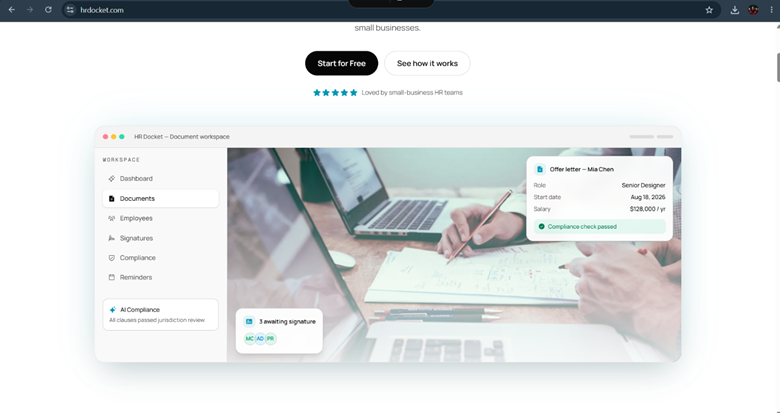
HRDocket’s strategy is to directly connect records to the documents that produce them. Create a contract or offer letter using the platform and it will be automatically placed against the employee’s profile no one needs to remember to upload it later.
Compliance and expiration tracking happen in the background from the Growth plan up as they monitor for missing fields or an imminent expiration. It doesn’t cover payroll or benefits administration, and, as part of its design, entry-level editions limit use to 15 and 50 employees, respectively.
Best For: It best for businesses whose main need is payroll, with records along for the ride.
Pricing: Free plan available. Paid plans start at $19/mo (Starter) up to $99/mo (Business) with flat monthly pricing. Annual discounts offered.
Pros:
- Flat pricing model
- Automatic filing of generated documents to employee profiles
- Usable free tier
- AI-powered compliance features on higher plans
Cons:
- Employee limits on lower-tier plans
- Limited native payroll and benefits administration
- Newer platform compared to some competitors
BambooHR
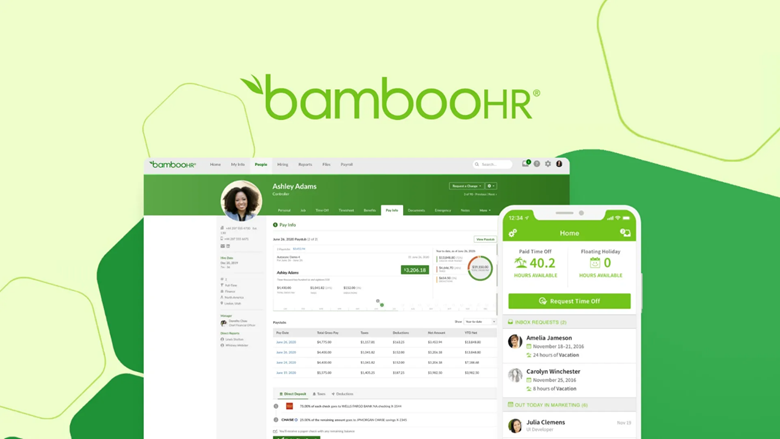
BambooHR is no new kid on the block, which is why it’s a popular option to use as the go-to HRIS. The customizable employee fields, a self-service employee portal that they use, and the reporting capabilities that go beyond are what most small businesses will ever require. Here, the records are well constructed but they are just a component of a much larger system. Document generation is not an AI thing, it’s based on templates and there’s not some level of compliance below that.
Best for: Growing SMEs that want employee records as part of a comprehensive HRIS platform.
Pricing: Approximately $6–10 per employee per month (pricing not fully public—custom quotes common). No free plan.
Pros:
- Mature and well-established platform
- Strong customizable employee profiles
- Popular self-service employee portal
- Robust reporting capabilities
Cons:
- Per-employee pricing can become expensive as team grows
- Users pay for many HRIS features even if only records are needed
- Limited AI document generation
Gusto
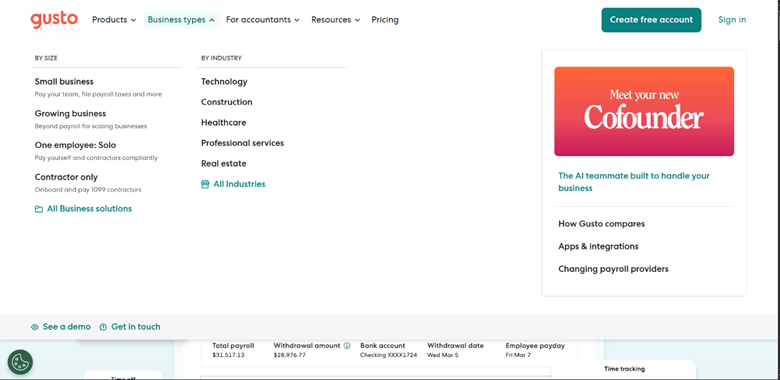
Gusto comes in handy if payroll is already eating most of your administrative time. Employee records stay in sync with payroll automatically, so you’re not maintaining two separate sources of truth. However, records definitely do not take a back seat here. It’s a payroll system first and compliance tracking is considered a secondary add-on, available only at higher price points.
Best For: Businesses that want employee records closely integrated with payroll processing.
Pricing: Pricing starts at $49/month + $6 per employee (Simple plan). Higher tiers (Plus and Premium) cost more. No free plan.
Pros:
- Strong payroll and records synchronization
- Transparent published pricing
- Good for companies already using or needing payroll
Cons:
- Records features are secondary to payroll
- Advanced HR and compliance tools locked behind higher tiers
- Can become costly for larger teams
HR Partner
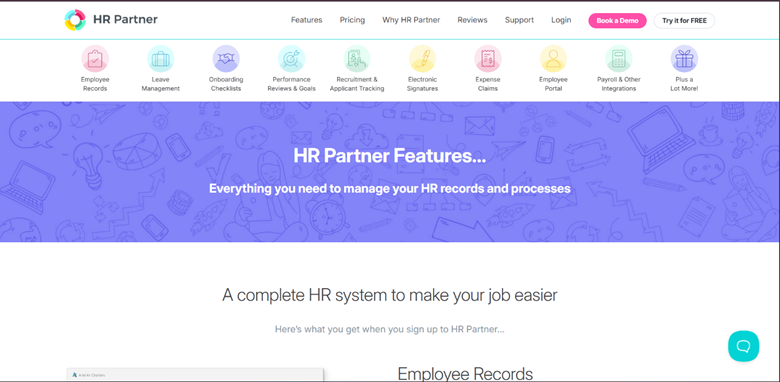
HR Partner is not meant to be a jack of all trades, it is a simple HRIS with a clear focus on the 20-500 employee end, personnel records, time-off and recruitment. That is not to mention AI drafting or compliance automation that comes with a records-first platform from the start.
Best For: Mid-sized SMEs (roughly 20–500 employees) seeking a dedicated, straightforward HRIS.
Pricing: Approximately $55 per user per month and no free plan, just trial.
Pros:
- Focused on core HR and records needs
- Clean, functional interface
- Suitable for organizations that have outgrown basic tools
Cons:
- No free plan
- Per-user pricing may be expensive for smaller teams
- Limited advanced AI or automation features
FirstHR
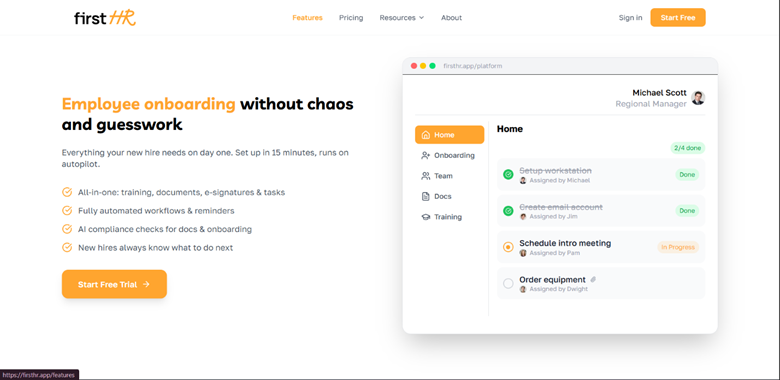
What makes FirstHR so popular is its no-frills pricing, which does not scale with the addition of new employees. It is always helpful when records are automatically created as new hires go through the onboarding process, as there is no one in the team responsible for HR administration. The drawback is that it is not quite as in-depth in terms of document generation as a platform designed for that purpose.
Best For: Very small teams without dedicated HR staff who prioritize simple.
Pricing: Flat monthly pricing between $98–$198 depending on the plan. Does not increase with headcount.
Pros:
- Predictable flat-rate pricing
- Records automatically created during onboarding
- Good option for budget-conscious small teams
Cons:
- Less depth in document generation compared to specialized tools
- May be overpriced per person for very small teams (1–5 employees)
- Fewer advanced compliance automation features
Comparison table: Top Employee Records Software for Small Businesses
Features Comparison Table
| Feature | HRDocket | BambooHR | Gusto | HR Partner | FirstHR |
| Structured Employee Profiles | Excellent | Excellent | Good | Good | Good |
| Document Storage & Organization | Excellent | Very Good | Good | Good | Good |
| Automatic Document Filing | Yes | Limited | Yes (with payroll) | Limited | Yes (onboarding) |
| Compliance & Expiration Alerts | Strong (AI) | Basic | Basic | Basic | Basic |
| Role-Based Access Controls | Yes | Excellent | Good | Good | Good |
| Employee Self-Service Portal | Yes | Excellent | Good | Good | Basic |
| Audit Trail | Strong | Strong | Good | Good | Basic |
| Document Generation / Templates | Strong | Good | Limited | Limited | Basic |
| Mobile Access | Good | Good | Good | Good | Good |
| Payroll Integration | Limited | Add-on | Excellent | Add-on | Limited |
| Best For | Document-focused | Full HRIS | Payroll-focused | Mid-size HRIS | Simple flat pricing |
Pricing Comparison Table
| Platform | Pricing Model | Entry Plan | Mid Plan | Top Plan | ~Cost at 25 Employees |
| HRDocket | Flat monthly fee (not per employee) | Starter – $19/mo (up to 15 employees) | Growth – $49/mo (up to 50 employees) | Business – $99/mo (unlimited employees) | $49/mo (Growth plan) |
| BambooHR | Per employee/month; $250/mo floor for ≤25 employees | Core – ~$10/employee/mo | Pro – ~$17/employee/mo | Elite – ~$25/employee/mo | ~$250/mo (flat-rate floor) |
| Gusto | Base fee + per employee/month | Simple – $49/mo + $6/employee | Plus – $80/mo + $12/employee | Premium – $180/mo + $22/employee | $199/mo (Simple plan) |
| HR Partner | Tiered flat fee by headcount band | Core – ~$104/mo (up to 25 employees) | Premium – ~$130/mo | VIP – ~$187/mo | ~$104/mo (Core plan) |
| FirstHR | Flat monthly fee, seat-based (not per employee) | Team – $98/mo (under 10 employees) | Business – $198/mo (10+ employees) | — | $198/mo (Business plan) |
Which One Actually Fits Your Situation?
There is no single right answer here but really depends on what you are optimizing for:
- HRDocket is the best option for you if you want records closely tied to document creation like contracts, offer letters and prefer flat pricing.
- Choose BambooHR is you need a full-featured HRIS with customizable profiles, strong reporting, and a good employee portal.
- Gusto is the best solution if payroll is your biggest pain point and you want records to stay automatically synced.
- HR Partner is worth evaluating if you are a mid-sized team (20–500 employees) looking for a dedicated HR system without too many extras.
- FirstHR is best for small teams with no dedicated HR person, and want simple, predictable monthly costs.
Frequently Asked Questions
Is employee records software the same as an HRIS?
Not always, because a full HRIS bundles records with payroll, benefits, and performance management. Dedicated records platforms focus specifically on records and document generation, often at a lower cost. HRDocket’s document expiration alert feature makes it even simpler.
What records are HR teams legally required to keep?
Common requirements include I-9 forms, tax withholding documents, signed employment contracts, payroll history and retention periods vary by jurisdiction, so check local labor law guidance for specifics.
What’s the actual difference between records software and a shared drive?
A shared drive stores files whiles records software structures that data into searchable profiles, restricts access by role, and actively tracks compliance gaps and expiration dates.
Do nonprofits need dedicated employee records software?
Yes, because nonprofits carry the same recordkeeping obligations as small businesses, usually on a tighter budget.
Can employees update their own records?
Most platforms in this comparison, including BambooHR, HR Partner, and HRDocket, offer employee self-service so staff can update contact details without opening an HR request.
What should HR managers prioritize when comparing these tools?
Role-based access, compliance and expiration tracking, transparent pricing, and a free or low-cost tier to test the platform before committing.
Can employee records software also generate new HR documents?
Yes, some platforms like HRDocket generate contracts, offer letters, and policy documents directly from the employee profile.
Does employee records software replace payroll software?
No, records software organizes employee data and documents, while payroll software processes wages and tax filings.
Do these platforms integrate with payroll software?
Platforms like Gust are payroll-first with records built in, while others like HRDocket BambooHR, and HR Partner focus on records and documentation and may require a separate payroll integration or standalone payroll tool.
Conclusion
Each of the platforms reviewed can help small businesses manage employee records. The right solution depends on your pricing model, team size, and specific needs, such as payroll integration, document generation, or broader HR functionality. We recommend trying 2–3 options through their free trials or demos before making a decision, so you can see which one fits your business best.
Pricing
Simple plans that grow with your team
Start free, then upgrade as your HR workload grows. Every paid plan includes clean PDFs, audit-grade e-signatures, and the full document generator.
Free
$0
Freelancers, solo founders, and businesses testing the platform
- Up to 1 employee profile
- Add 1 company
- 10 AI credits (5 HR documents approx.)
- Limited access to tool templates (warning letters, offer letters, contracts, etc.)
- PDF downloads (watermarked)
- Company profile setup
- Jurisdiction-based document drafting
Starter
$19
/mo
$15.83
/mo
Billed annually ($190) · 2 months free
Small businesses and growing teams
- Up to 15 employees
- 120 AI credits (15 HR documents approx.) per month
- Add up to 2 companies
- Full HR document generator access
- Up to 2 custom templates
- Employee database & profiles
- Auto-fill employee data into documents
- Digital signatures
- Signed & unsigned PDF downloads
- Expiration reminders
- Document storage & history
- AI-assisted document drafting
- Email delivery for generated documents
- Custom HR document builder
Most popular
Growth
$49
/mo
$40.83
/mo
Billed annually ($490) · 2 months free
SMEs managing active teams and HR workflows
- Everything in Starter
- Up to 50 employees
- 250 AI credits (32 HR documents approx.) per month
- Up to 5 custom templates
- Add up to 3 companies
- AI compliance & risk assessment checks
- Incident logs
- Asset/property tracking
- Leave management
- CSV employee import
- Document uploads/attachments to employee profiles
- Bulk document generation
- Employee self-service portal
- 15 company-wide message broadcasts per month
- Advanced HR records & operational tools
- 5 distribution & acknowledgement tracking
Business
$99
/mo
$82.50
/mo
Billed annually ($990) · 2 months free
Established companies and HR-focused organizations
- Everything in Growth
- Unlimited employees
- 600 AI credits (75 HR documents approx.) per month
- Up to 7 custom templates
- Add up to 4 companies
- Advanced compliance workflows
- 40 company-wide message broadcasts per month
- Request custom HR document builder tuning
- Ask HR Docket admins for a custom generator tool (1)
- Multi-user management
- Advanced audit logs
- Reusable company templates
- Signature authorization without login
- Unlimited policy distribution & acknowledgement tracking
- Dedicated support