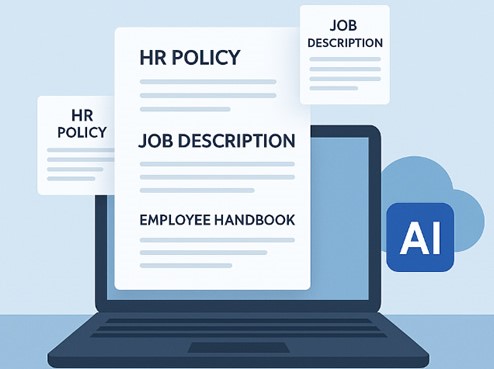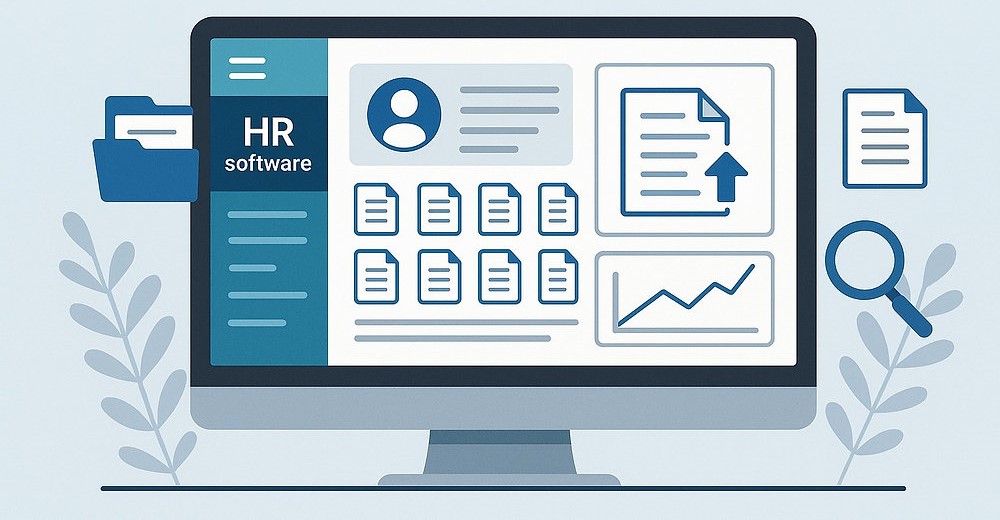
Paperwork forms part of every stage in an employee’s lifecycle. HR documents, including offer letters, onboarding packets, policies, promotion letters, salary increase letters, warning letters, and termination notices, must be drafted, routed for approval, signed, and filed correctly. Handling documentation manually often leads to inconsistent formatting, errors, missed signatures, backlogs and compliance exposure. That is why HR professionals need to automate HR documents.
HR document automation software platforms tackle compliance requirements, streamline workflows, and enhance security as your organization grows. They help track how long documents should be kept, record changes, send documents for approval, and alert you when an employee’s certification is about to expire, helping prevent compliance issues.
This guide explains how HR document automation works and how to implement it in your organization. It also walks you through how modern platforms handle HR documentation workflows.
What is HR document automation?
HR document automation is the use of software to create, populate, distribute, approve, sign, store and manage HR documents. Modern platforms can automatically generate personalized contracts, offer letters, onboarding forms, and other HR documents from your input.
According to a report shared on SHRM, automating these workflows significantly reduces manual data entry, eliminates copy-paste errors, corrects formatting inconsistencies and speeds up administrative tasks. Dedicated HR document automation platforms assist HR teams to safely generate standardized files across the entire employee lifecycle without starting from scratch or wasting hours updating outdated templates.
A typical work pulls employee data into a pre-approved template and routes the file to the right approver and signer. It also applies role-based access control so only authorized people can view or edit sensitive files. Once complete, final versions are securely stored in a searchable, audit-ready profile.

Why employee document automation is important
Every new hire creates a continuous trail of documentation from onboarding to offboarding. When these documents are managed manually, they can be scattered across email threads, desktop folders, paper filing cabinets, cloud storage, and even separate HR applications.
This creates several problems, including:
Inconsistent documentation: Manual HR documentation can lead to different managers having different versions of the template or changing wording unnecessarily. HR document automation platforms help fix this problem by providing a centralized template library that standardizes document creation across the organization.
Repetitive administrative work: HR professionals often create similar documents with different employee information. Automating the process allows approved templates and employee information to be reused instead of repeatedly starting from scratch.
Scattered employee records: HR documents stored in different locations make it difficult to find employee records. Modern HR automation tools ensure that all employee records are stored in one secure profile.
Missed deadlines: Most HR documents, especially contracts, licenses, permits and training records, have important renewal dates. HR document workflow with automated reminders can assist teams in identifying documents that require attention before they expire.
How to automate HR documents in 7 simple steps
Step 1: Audit your Existing HR documents.
Before implementing HR automation software, you need to create a list of documents you frequently use from onboarding to offboarding. Commonly used documents include offer letters, employment contracts, job descriptions, welcome letters, employee handbooks, salary increase letters, warning letters, reference documentation and more. Modern automation platforms usually come with standardized templates; however, you can also request or build a custom template that best fits your organization.
Step 2: Map your approval and signature chain.
You should decide who needs to review or sign each document type before it is finalized. This assists you in configuring the routing inside your document platform so it happens automatically instead of over email.
Step 3: Centralize employee information
Automation works best when employee and company information can be reused. Maintaining a structured employee profile creates a central source of information for HR documentation. A structured HR document workflow connects each document and process to the employee.
Step 4: Apply role-based access controls
Employee documents contain sensitive information that should not be seen by everyone. Configure role-based permissions to allow only authorized people to view such information.
Step 5: Automate review and approval
Automated documents and processes need to be reviewed and approved at every stage. Modern platforms feature AI-assisted drafting, but HR professionals should remain responsible for reviewing and approving employee documentation.
Step 6: Automate electronic signatures
HR documentation platforms help HR teams to generate documents and route them for electronic signatures without using a printer and scanner. Signed documents are automatically filed to the right employee profile.
Step 7: Automate document storage and reminders
Document storage is part of the key stages in the HR automation cycle. The final version of the document should be stored where HR can easily find it later. A strong document automation platform should support centralized storage, employee records, document history, version control, signature status, expiration reminders and audit trails.
Top HR document automation platforms this month
Most document automation software platforms are not built for HR documentation. General-purpose platforms are built around sales and proposals. Modern HR documentation platforms use AI to generate jurisdiction-based employment documents and automatically integrate them into the employee’s permanent records.
Top platforms to look for this month include
HRDocket: Best for HR documentation and employee records management
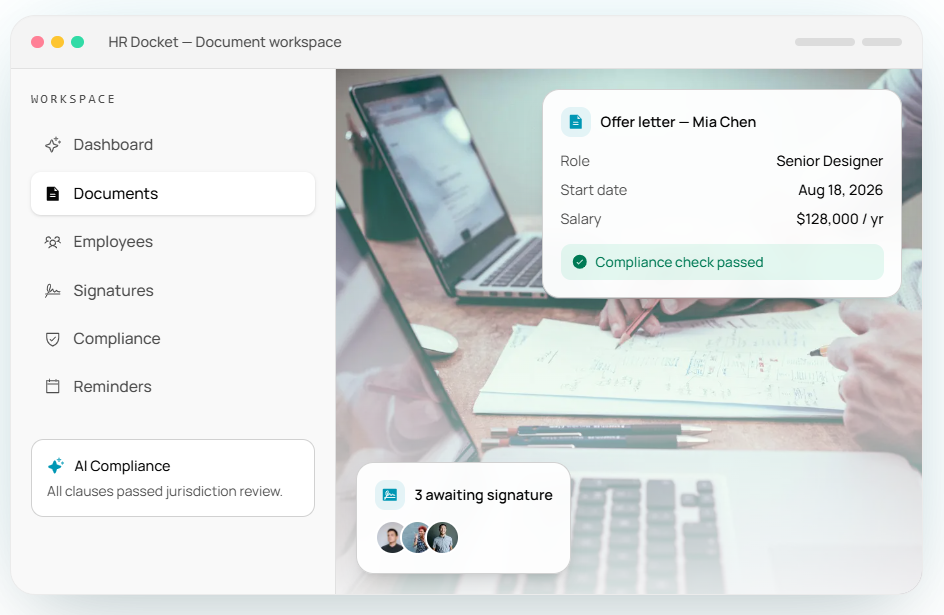
HRDocket is purpose-built around HR documentation and employee records. The platform organizes every HR document from the first description to the final settlement letter in one library.
It helps HR professionals generate standardized HR documents in minutes without sacrificing consistency. The platform combines AI-powered drafting, employee information, company data reusable templates, and jurisdiction-aware drafting to create standardized employment documents.
Key document automation features
AI-powered document generation library: HRDocket features a modern AI-powered document generator covering every aspect of the employee lifecycle. HR professionals can generate over 21 standardized employment documents, including job descriptions, offer letters, employment contracts, employee handbooks, promotion letters, salary increment letters, termination letters, reference letters and final settlement.
Bulk document generation: The platform allows you to generate the same document type for many employees in one pass. You can also generate different document types for the same employee in one pass.
Company branding: You can create company logos, colors and formatting that apply automatically to every document.
Centralized employee records: Every generated document connects to the employee’s permanent records.
Electronic signatures: HRDocket allows HR professionals to route any document type for e-signature directly.
Custom templates: HR professionals can create custom templates tailored to their business needs.
Pricing
HRDocket currently offers a plan for organizations testing the platform. Pricing starts at $19/month for full document generators, AI-assisted drafting, employee profiles, electronic signatures, searchable storage, reminders, custom HR document builders, and more. Every paid plan includes clean PDFs and audit-grade signatures. Annual billing gives users a two-month free offer.
PandaDoc for HR Document Automation
PandaDoc mostly focuses on sales and proposals. It can be useful for businesses that need document creation, approval, tracking, and electronic signatures.
The platform’s document automation can trigger actions based on document status, while its higher plans provide more advanced workflow automation. It is best for businesses that already use PandaDoc across sales, contracts, and proposals.
Key document automation features
Pre-built HR templates: The platform has reusable templates for offer letters, employment contracts, onboarding packets, and performance reviews.
Digital signatures: It allows teams to collect secure electronic signatures from any device without printing.
Real-time document tracking: It helps teams monitor when an employee views or signs a document.
Centralized storage: It keeps digital employee records in a single searchable profile.
Pricing
PandaDoc currently offers a free plan for electronic signatures. Its published pricing includes a Starter plan from $35 per seat/month and a Business plan from $65 per seat/month. Advanced automations and document workflows are included in its Enterprise package. However, you need to contact sales for custom pricing.
Docupilot’s HR document automation
Docupilot focuses on automated, data-driven generation using templates. It is best for organizations that need to scale production by linking structured information directly to document templates.
However, it has limited document tracking histories, policy acknowledgments, incident records, and company asset management.
Key features:
Dynamic templates: It creates smart documents using a no-code builder or Microsoft Word.
System integrations: Pulls employee information directly from HR platforms like BambooHR or Salesforce.
Electronic signatures: The platform allows users to route documents for e-signatures.
Pricing
Docupilot’s pricing starts at $29/seat/month for 100 delivered documents, with higher plans based on document volume. The platform offers a 14-day free trial. It also offers the eSignature Add-on for $1.50 per envelope and an additional user add-on at $4/seat/month.
Key features comparison
| Capability | HRDocket | PandaDoc | Docupilot |
| HR-focused document generation | Yes | General-purpose | General-purpose |
| Employee records | Yes | Not primarily HR records | Not primarily HR records |
| HR document templates | Built-in AI-powered document generation library | Requires manual setup | Requires manual step |
| Compliance and audit trail | Audit-ready employee files, jurisdiction-aware drafting and AI-compliance checker | Audit trail on signatures | Basic version history |
| AI-assisted HR drafting | Yes | Document automation capabilities | Document generation automation |
| Employee data reuse | Yes | Yes | Yes |
| Electronic signatures | Yes | Yes | Available as an add-on |
| Policy acknowledgements | Yes | Not primarily an HR policy-management system | Not primarily an HR policy-management system |
| Workplace incident records | Yes | Not primarily an HR incident-management system | Not primarily an HR incident-management system |
| Company asset tracking | Yes | No dedicated HR asset workflow | No dedicated HR asset workflow |
| Expiration reminders | Yes | Workflow capabilities vary by plan | Workflow automation capabilities |
| HR employee lifecycle documentation | Yes | General document workflow | General document generation workflow |
| Best fit | HR document generation, digital storage, employee records and compliance in one workflow | Broad document workflows and eSign | Automated document generation at scale |
Why HR operators choose dedicated automated platforms
Purpose-built HR automated tools combine secure cloud storage with intelligent automation, smart workflows, and other HR-specific features. They outperform general-purpose automation tools in many ways, including:
1. End-to-end workflow automation: Dedicated HR automation tools can route documents for approval, autofill templates with employee data, and send reminders. This minimizes manual errors and reduces time spent on drafting HR documents.
2. Automated document retention and lifecycle management: Automation tools systematically track document types and apply the appropriate retention policy and send alerts when a file is approaching its destruction date or when it needs to be archived for a longer period.
3. Intelligent document management: Modern dedicated HR platforms use AI-powered document intelligence to identify uploaded files and link them to the right employee profiles. Automation helps HR managers and teams eliminate the hidden time cost of managing people operations without sacrificing accuracy.
4. Audit-ready access controls and audit trails: Though standard cloud storage allows administrators to control who can view files, it does not generate a timestamped and searchable log of every action taken on a document. With dedicated HR platforms, every interaction with an employee file is logged automatically.
5. Integration and self-service: Purpose-built HR document tools integrate deeply with HR systems. They include compliance frameworks such as access permissions, encryption protocols, data residency controls, and automated data masking without requiring IT add-on configuration. They also include employee self-service portals.
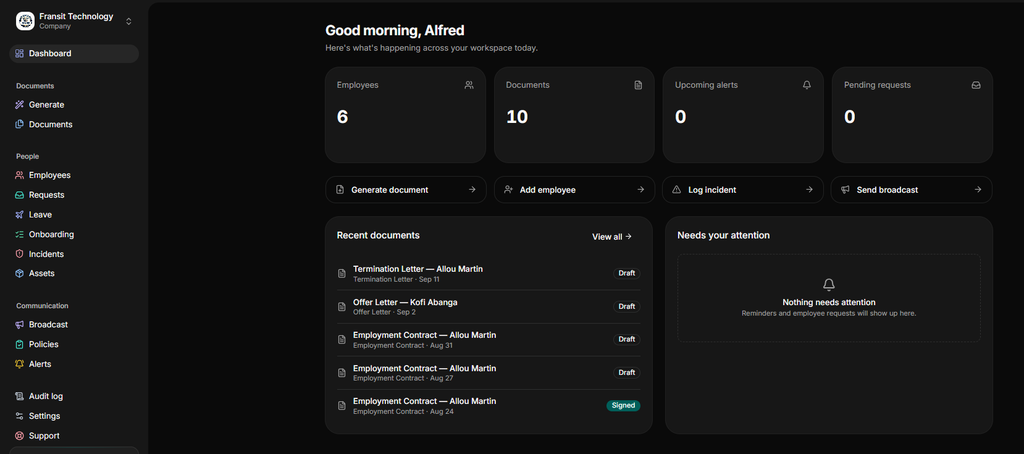
Core features of a dedicated HR document automation platform
There are some unique features that operators looking for cloud storage for HR files as an alternative should prioritize. Some of these include:
- Automated retention scheduling of employee records.
- E-signature integration that allows onboarding packets and policy acknowledgements to be completed directly within the platform.
- Audit trail generation that is timestamped, immutable, and exportable.
- AI-powered document classification that routes and indexes incoming files without manual intervention.
- HR system integrations that allow the document platform to pull employee data automatically rather than requiring duplicate data entry across systems.
- Compliance alerting that notifies HR managers when certifications or contracts are expiring or when required documents have not been completed.
- Role-based access controls
- User-friendly employee portals
- Scalable security features
Frequently Asked Questions
What is HR document automation?
HR document automation is the use of a software platform to generate, sign, distribute, store and manage documents throughout the employment cycle.
What HR documents can be automated?
Most repetitive HR documents can be fully automated using digital templates, company data, and employee information and routed for approval and e-signatures. Common ones include job descriptions, offer letters, employee handbooks, NDAs, PIPs, warning letters, reference letters, termination letters and more.
Can HR documents be generated using AI?
Modern HR automation platforms use AI to generate standardized HR documents. AI can assist with drafting using employee information, company data, and templates. HR teams still need to review generated documents and check compliance before routing for approval and signatures.
Can automated HR documentation improve employee records?
Yes. Strong HR document automation platforms can automatically link HR documents to employee profiles and help maintain a more organized employment history.
Is HR document automation secure?
Yes. Modern HR document automation platforms have security features like authentication, role-based access controls, timestamped audit logs, and secure data storage. These features help to secure sensitive employee data.
Can HR document automation collect legally binding signatures?
Yes. HR documentation platforms support e-signature workflows. These signatures comply with major regulations and international standards.
Conclusion
HR document automation platforms are purpose-built for modern, efficient, and compliant HR operations. Dedicated platforms automate repetitive tasks, strengthen security, and provide actionable insights as compliance obligations increase and workforce documentation volumes grow.
Operators who continue relying on general-purpose cloud storage have to deal with a widening gap between their HR needs and what the tools can do. Purpose-built HR document automation platforms have become a competitive advantage as regulatory demands and workforce expectations continue to rise.
Every document becomes part of the employee’s permanent record
Spend less time buried in HR paperwork and more time growing your business. Generate documents, organize employee records, and simplify HR operations; all from one place.
No credit card required · Cancel anytime · Set up in under 5 minutes