Human resources teams document the entire employee career lifecycle from start to finish. This continuous record captures everything from offer letters and employment contracts to policy sign-offs, promotions, leave requests, disciplinary actions, and termination forms.
Most small and growing businesses manage these documents manually. As a result, files often end up scattered across email threads, computer desktops, spreadsheets, cloud storage, and physical filing cabinets.
Centralized employee records software bridges these gaps by connecting employee profiles, HR documents, employment history, signatures, and policies within a single organized system. This serves as a Single Source of Truth (SSoT) for employee documentation, enabling HR teams to find the right information instantly, control user access, maintain accurate historical logs, and seamlessly manage documentation throughout the employee lifecycle.
Direct Answer
For small and growing businesses, creating a Single Source of Truth (SSoT) for employee documents means choosing centralized employee records software that provides role-based access, e-signatures, automated audit trails, and document expiry alerts. The most practical approach is to implement dedicated HR software that inherently links employee profiles with their documents, history, approvals, and compliance policies.
Quick comparison
| Platform | Centralized employee records | Employee documents | E-signatures | Policy tracking | Document generation | Published pricing |
| HRDocket | Yes | Yes | Yes | Yes | Yes | From $0 to $99/ month |
| KollabHR | Yes | Yes | Not the primary focus | Limited/varies | Not its primary focus | From $0 to $4.95/ employee / month and custom quote for large enterprise |
| Leapsome | Yes | Yes | Yes | Yes | Document workflows | Custom |
| Rippling | Yes | Yes | Yes | Yes | HR workflow focused | Custom/modular |
| Dayforce | Yes | Yes | Yes/workflows | Yes | Broader HCM | Custom |
What is a Single Source of Truth (SSoT)?
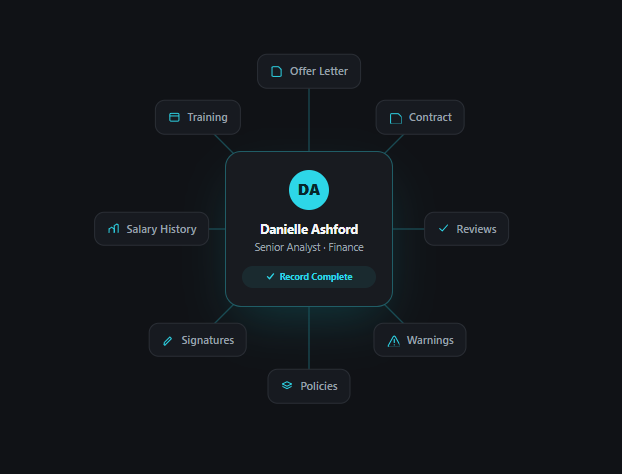
A Single Source of Truth (SSoT) for employee documents is a centralized system that lets HR professionals easily retrieve all employment-related documents and information. This principle ensures that authentic data is collated in one secure location and made accessible only to authorized personnel.
Centralized employee records software helps small and growing businesses store every document, data point, and career event within a single employee profile. This eliminates the operational chaos growing companies face when they juggle scattered tools that fail to link information directly to the correct employee profile.
Who needs a Single Source of Truth (SSoT)
- Small businesses struggling with disorganized employment documents.
- Fast-growing teams needing structured HR documentation and employee management
- Organizations with compliance-sensitive documentation
- Organizations facing audits or disputes
Why Small and Growing Businesses Need Centralized Employee Records
Managing employee documentation becomes increasingly difficult as an organization grows. A well-maintained single source of truth helps businesses stay compliant and organized. Key benefits of centralized employee records include:
- Less time spent searching for files: Centralized storage saves HR teams from wasting time hunting for paperwork across scattered emails, text documents, desktop folders, shared drives, spreadsheets, and physical filing cabinets.
- Reduced data duplication: Centralized systems eliminate the need to repeatedly enter the same employee or company information into multiple documents or platforms.
- Fewer missing signatures: Software with built-in digital signatures removes the need to print, manually sign, and constantly chase down approvals.
- Elimination of outdated documents: Integrated version control and activity logs make it easy to identify the most current file version while securely retaining historical edits.
- Streamlined compliance management: Centralized records make it simple to track policy acknowledgments, document expiration dates, workflows, and historical audits.
Common employee problems centralized employee records system solves
| Traditional approach | Centralized employee records |
| Documents stored in multiple locations | Documents connected to employee profiles |
| Manual searching | Searchable records |
| Separate spreadsheets | Structured employee database |
| Email-based approvals | Workflow-based approvals |
| Printed signatures | Electronic signatures |
| Separate policy files | Policy distribution and acknowledgement history |
| Manual expiry tracking | Automated reminders |
| Difficult document history | Version and activity history |
| High dependency on individual HR staff | Shared controlled access |
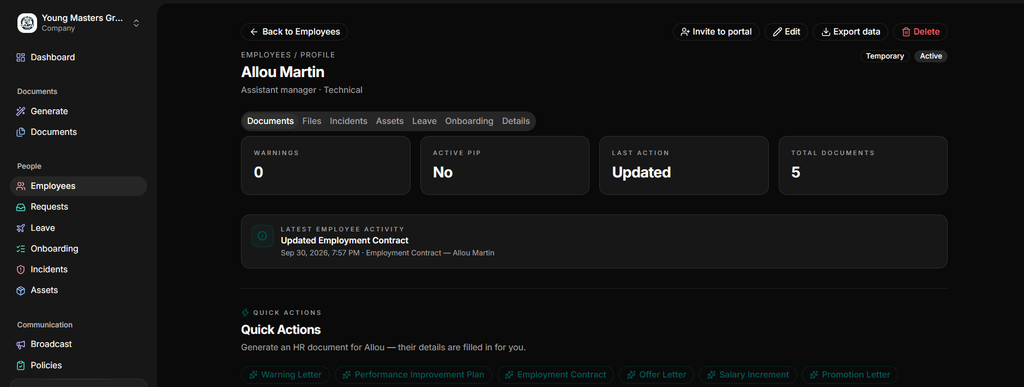
What to Look for in a Single Source of Truth System
- Employee profiles: Choose a platform that provides a single, central location for all employee information.
- Document storage: Look for a system that keeps HR documents directly connected to individual employee profiles.
- Search functionality: Select a platform that allows your team to search for and find any document in seconds.
- Version history: Prioritize platforms that preserve previous document versions and track historical edits.
- Role-based access: Control access to sensitive HR information by setting strict, permission-based user roles.
- Audit trails: Ensure the system provides full visibility into changes, edits, and system activity logs.
- Electronic signatures: Consider a platform with built-in digital signatures that allows managers to sign or route documents to legally binding e-signatures. This eliminates slow, paper-based approval processes.
- Compliance support: Verify that the platform complies with the specific legal and labor regulations of your jurisdiction.
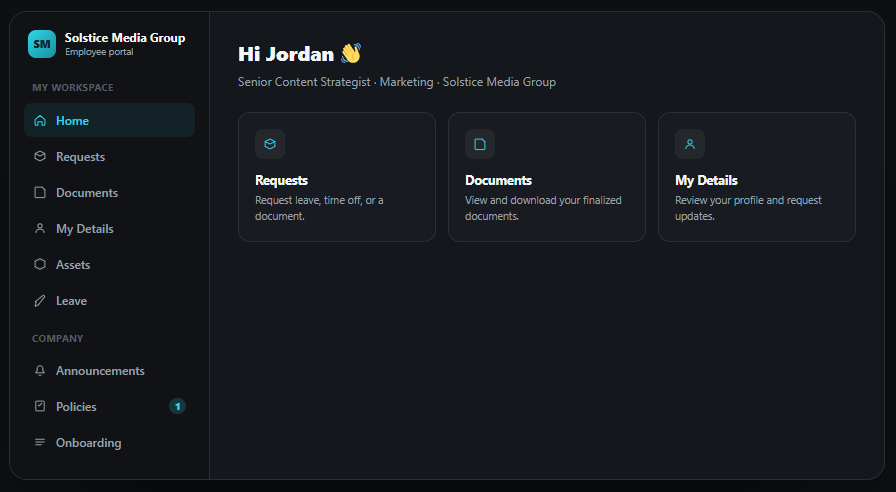
- Employee self-service: Allow employees to securely log in, update their own data, and access permitted files.
- Transparent pricing: Choose a system with a clear pricing model that scales affordably as your business grows.
Top platforms for centralized employee records
Our comparison methodology
In this guide, we evaluated five platforms, HRDocket, Rippling, Dayforce, Leapsome and KollabHR, against core software capabilities that directly impact centralized employee documentation.
We considered employee record centralization, search and retrieval, digital signatures, permissions and security controls, employee records, transparent pricing and suitability for growing businesses. All product features and claims are sourced directly from publicly available vendor materials and published pricing models.
HRDocket
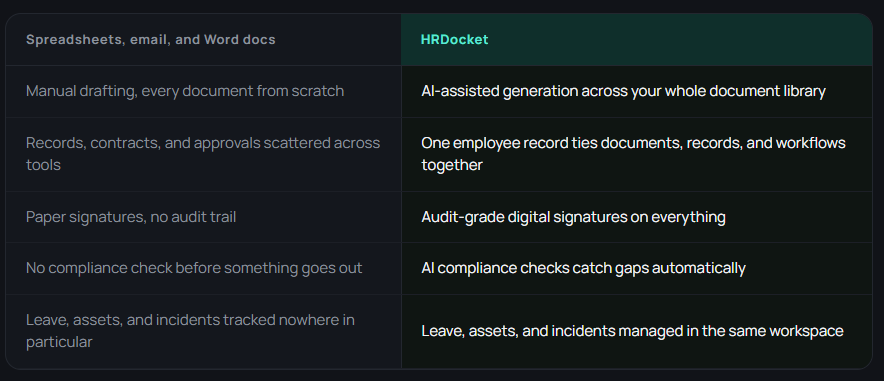
HRDocket is an AI-powered documentation and employee records management platform that focuses heavily on streamlining the entire HR document workflow lifecycle. It helps growing teams to automatically generate, digitally sign, organize, and store sensitive employment records in a single secure workspace.
The platform features a built-in modern AI document generator covering over 21 standardized HR documents, centralized employee records, and automated tracking of document expiration dates, policy acknowledgments, and audit-grade e-signatures.
HRDocket directly links all of these documents and HR processes to the right employee profile.
Best for: HRDocket is best for small and growing businesses that want structured HR documentation, employee records management, everyday HR operations, approval workflows and compliance management in one platform.
Key features
HR document generation: The platform’s capabilities include generating structured employment documents, including offer letters, employee handbooks, NDAs, welcome letters, probation letters, salary increase letters, warning letters and PIPs.
Centralized employee profiles: The platform maintains one permanent record for every employee.
Complete employment records: It automatically organizes documents under the employee profile and tracks every employment event from recruitment through offboarding.
Electronic signatures: They allow HR professionals to collect legally binding digital signatures and maintain signed documents securely.
Pros and Cons
Pros:
- Seamless connection between employee records and HR documents.
- AI-powered automated HR document generation.
- Integrated, audit-grade electronic signatures.
- Comprehensive leave and PTO management tracking.
- Automated policy acknowledgment tracking.
- Proactive document expiration reminders.
- Secure logging of workplace incident records.
Cons:
- It focuses on HR documentation and employee records management.
- Limited external software integrations.
- Does not currently include a native payroll service
Pricing
HRDocket has a free plan for individual testing of the platform. Paid plans start from $19/month to $99/month. All paid plans include full HR document generator access, custom templates, employee database and profiles, digital signatures, expiration reminders, secure document storage and history, and downloadable PDFs.
KollabHR
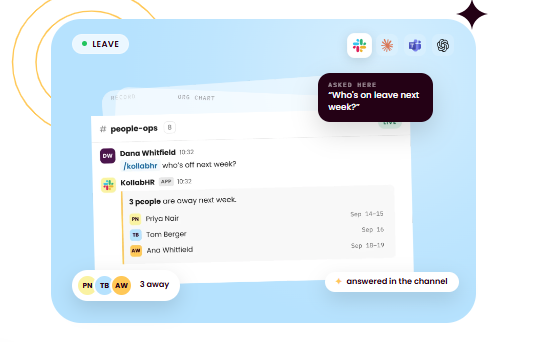
KollabHR is purpose-built for small businesses and growing teams looking for a broader, lightweight HR platform. It replaces the chaos of manual spreadsheets with a clean, lightweight document repository.
In addition to tracking leave balances and company assets, it features an intuitive AI assistant designed to let administrators query employee profiles, history logs, and attached records using plain natural language chat.
Best for: Teams looking for a broader, lightweight HR platform combining employee records, organizational structure, leave tracking and role-based access controls.
Pros and Cons
Pros:
- Centralized employee directory and profiles
- Structured organization and department management
- Employee directory and profiles
- Role-based access control for security
- Conversational AI assistant for quick data querry
Cons:
- Feature set might be too simple for larger organizations that require complex multi-level approval hierarchies or advanced enterprise security permissions
- Product capabilities do not include document generation or e-signatures.
Pricing
KollabHR offers a free plan for teams under 10 with limited features, including records, leave, assets and assistants. Paid plans start at $4.95/employee/month for teams with over 10 members. Large teams require a custom quote.
Leapsome
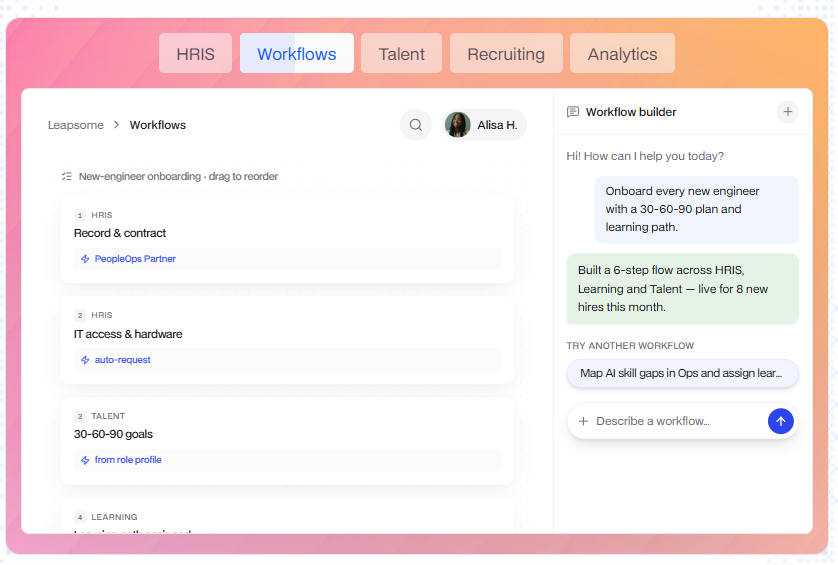
Leapsome is a comprehensive people management platform that combines a standard Human Resources Integration System (HRIS) with an advanced people enablement suite. The platform embeds employee profiles directly into daily talent workflows.
It offers highly customizable profile attributes, role-based read/write access permissions, and a self-service system that integrates documentation with performance reviews, compliance training, and continuous feedback.
Best for: Leapsome is relevant to organizations looking for a broader people-management platform that combines employees with HR documents, performance and engagement.
Pros and Cons
Pros:
- Centralized employee profiles
- Secure HR document storage and version history tracking
- Integrated E-signatures
- Document version histories
- Role-based access
- Broader people-management capabilities
Cons:
It lacks transparent, public pricing tiers.
It focuses less on generating HR documents.
Cost increases as the organization grows.
Pricing
Leapsome uses a custom quote pricing model based on various modules, including recruiting, HRIS, reviews, surveys, goals, learning, compensation and time tracking. Total cost depends on the employee count, modules, and contract length.
Rippling
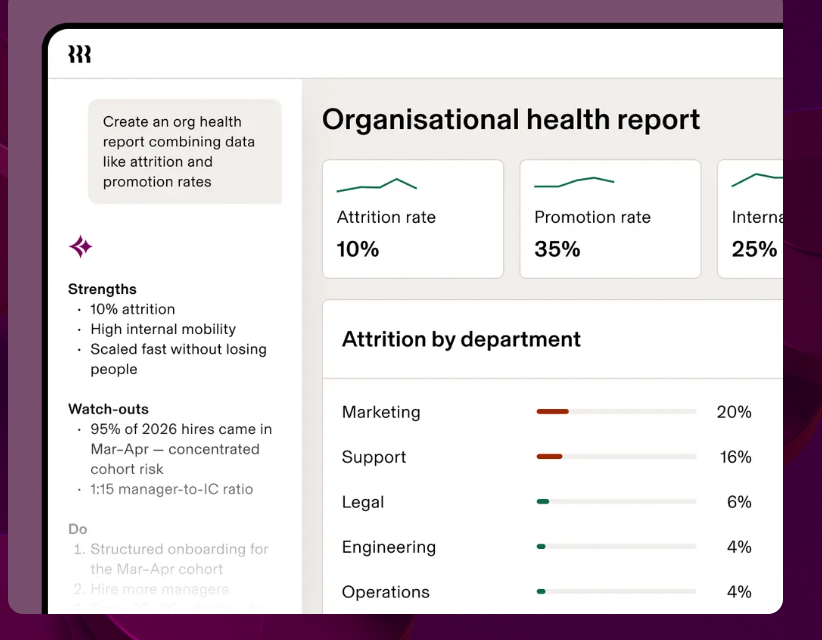
Rippling is an all-in-one unified system that combines HR, IT, payroll and finance on one employee database. It functions as a comprehensive system that seamlessly connects HR profiles and documents with IT device management and company finances.
Its modules include employee records, onboarding documents, time, benefits and compliance tasks in a single profile, and signed documents flow into the right profile automatically. A single change to an employee’s electronic profile automatically triggers global updates across payroll, health insurance, software permissions, and hardware deployment workflows.
Best for: Rippling is best for organizations looking for a full HRIS that combines employee records with broader HR, payroll, benefits, IT, and workforce workflows.
Pros and Cons:
Pros:
- Incredible automation capabilities that link an employee’s record directly to their physical work laptop, software apps, and corporate cards.
- Integrated electronic signatures with automated document routing
- Broader HR, IT, and financial functionality in a single platform
- Employee self-service portal
Cons:
The platform can become overly complex and expensive for small businesses
It lacks transparent, public pricing
Pricing
Rippling uses a custom quote pricing model based on specific modules and add-ons.
Dayforce
Dayforce is a global human capital management (HCM) platform designed primarily for mid-market and enterprise organizations. The platform houses complex payroll, benefits, and labor compliance documentation in a single cloud database.
It is especially strong at maintaining historical audit logs, handling intricate multi-jurisdictional compliance laws, and supporting advanced workforce planning metrics.
Best for: Large companies looking for comprehensive HCM functionality alongside centralized HR document management.
Pros and Cons
Pros:
- Centralized HR document management
- Employee record integration
- Broader HCM capabilities
- Workforce management and payroll ecosystem
- Role-based access controls
Cons
It might be an overkill for small businesses.
It lacks transparent pricing.
Pricing
Dayforce pricing is custom and quoted based. While pricing is private, third-party industry sources estimate costs between $22 and $31 per employee per month (PEPM), depending on the contract size.
Feature comparison table
| Feature | HRDocket | KollabHR | Leapsome | Rippling | Dayforce |
| Employee profile with linked documents | Yes | Yes | Yes | Yes | Yes |
| AI document generation | Yes (21+ documents) | Not a core focus | Not a core focus | Not a core focus | Not a core focus |
| E-signatures | Yes | Yes | Yes | Yes | Yes |
| Policy acknowledgement tracking | Yes | No | Yes | Varies by plan | Yes |
| Expiration reminders | Yes | No | No | Compliance alerts | Yes |
| Employee self-service | Yes | Yes | Yes | Yes | Yes |
| Payroll | No | Unconfirmed | Prep only | Add-on | Yes |
| Leave management | Yes | Yes | Yes | Yes | Yes |
| Asset tracking | Yes | Yes | Not verified | IT device management | No (not verified) |
Which centralized employee records software is best for your organization
- Choose HRDocket if you are looking for a secure workspace where employee records, policies, signatures, performance history, and every workplace decision stay connected for the life of their employment.
- Choose KollabHR if centralizing employee documents, managing leave and asset tracking are your team’s top priorities.
- Choose Leapsome if continuous performance reviews, goals, and employee engagement surveys are your primary organizational needs.
- Choose Dayforce if you run a large workforce and need enterprise payroll and workforce management.
- Choose Ripping if you want an all-in-one platform that integrates HR automation, IT device management and Finance on a single employee database.
Read More: Best HR Document Automation Software, Compared
How to create a Single Source of Truth (SSoT) for your employee records
Step 1: Audit your existing records
To begin centralizing your employment documents and HR processes, you need to first identify where they are mostly stored. Small businesses often store their documents in emails, cloud storage vaults, and physical filing cabinets. Take a complete inventory of these locations.
Step 2: Remove duplicates
Before transferring any files into the new system, clean up your data. Identify and eliminate duplicate, outdated or incomplete records to ensure your new database starts with accurate information.
Step 3: Establish document categories
Establish the document category your team mostly uses, such as pre-hiring, onboarding, performance or offboarding.
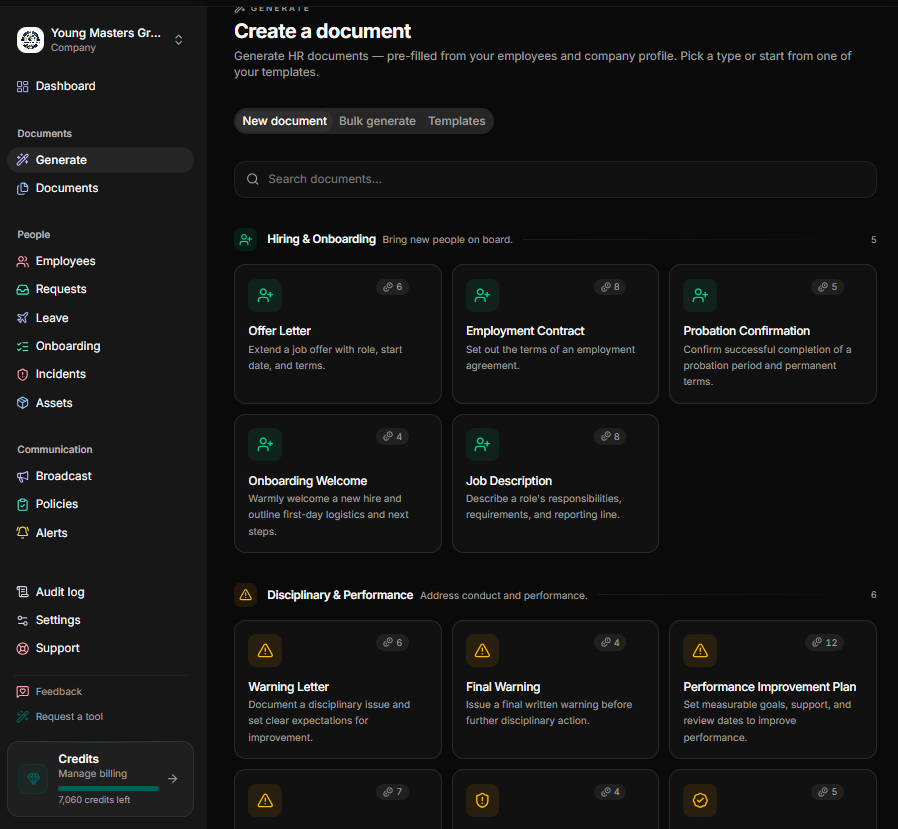
Step 4: Import employee information.
Move your audited employee profiles and documents into your centralized platform. If you are using a modern system, take advantage of built-in document generation features and standardize your records during the process.
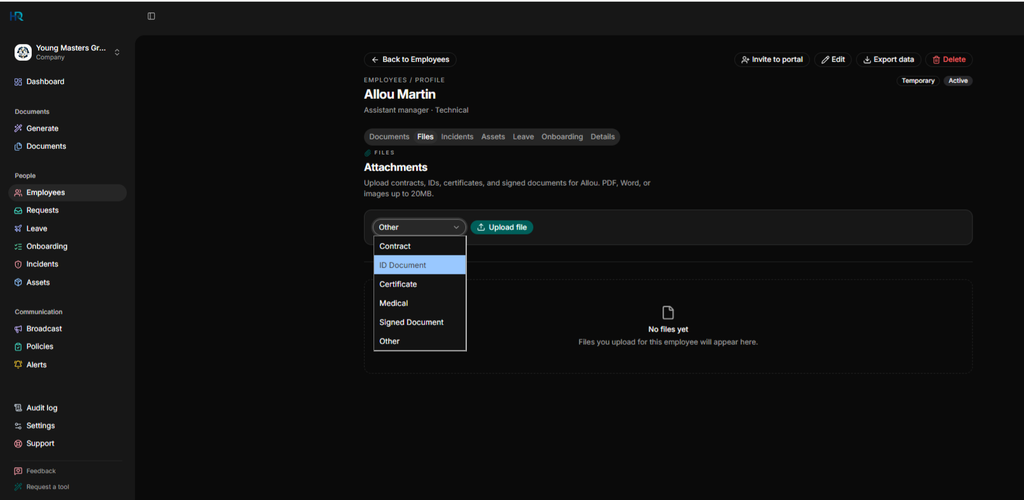
Step 5: Configure permissions
Set role-based access controls to protect sensitive data. Determine exactly who is authorized to view, edit, approve, and manage different types of HR information based on their roles within the organization.
Step 6: Standardize your document templates
Eliminate inconsistent, individually saved document templates. Replace them with standardized, company-wide templates that include locked-in formatting and pre-configured approval workflows.
Step 7: Establish the new workflow
Launch your new process and ensure all new HR documents are created directly within the platform so they automatically attach to the correct employee profile, maintaining your Single Source of Truth.
Frequently Asked Questions
What is Single Source of Truth (SSoT) for employee documents?
A single source of truth is one system where employment documents are stored against the right employee profile. This ensures there is one authoritative location for employee information and HR documentation that authorized users can rely on.
What is a centralized employee record?
Centralized employee records consist of all employee information and HR documents maintained in one structured system rather than scattered across physical filing cabinets, emails, desktop folders, and cloud storage vaults. For growing HR teams, centralizing these records is what establishes your single source of truth.
How do I centralize employee documents?
Start by auditing existing records, removing duplicates, selecting an employee-records platform, importing employee information, configuring permissions, and establishing standardized document workflows.
Do I need a full HRIS to centralize employee records?
No. Purpose-built HR documentation platforms like HRDocket offer secure, centralized employee profiles that help your team maintain a single source of truth. However, a full HRIS makes sense if you need payroll and benefits administration.
Can employees access their own information?
Yes. Modern platforms feature secure employee self-service portals. These allow team members to log in independently, access approved employment documents and policies, review company policies and complete certain HR requests digitally.
Every document becomes part of the employee’s permanent record
Spend less time buried in HR paperwork and more time growing your business. Generate documents, organize employee records, and simplify HR operations; all from one place.
No credit card required · Cancel anytime · Set up in under 5 minutes