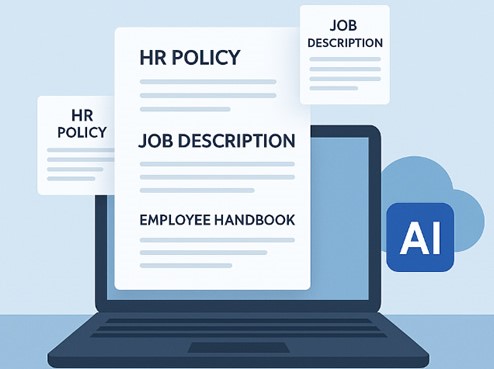
Drafting employment documents shouldn’t require HR professionals to start from scratch every time. An AI HR document generator populates dynamic templates with employee and company details and uses AI-assisted drafting to create standardized employment documents from pre-hiring to offboarding.
The best AI HR document generator drafts HR-specific documents such as job descriptions, offer letters, contract agreements, NDAs, salary increment letters, and promotion letters, then files each one in the right employee records.
This guide compares HRStak, PandaDoc, Jotform, LeanaAI and HRDocket based on their documented capabilities, workflows, pricing and suitability for small and growing businesses.
TL;DR
For small and growing businesses that need AI-assisted document creation, several platforms can help generate or automate documents. However, these platforms solve different problems.
- HRDocket focuses on the HR documentation lifecycle, connecting AI document generation with approval workflows, employee records, secure document storage and expiration reminders.
- HRStak provides HR teams with HR workflows and document-generation capabilities.
- PandaDoc focuses heavily on e-signatures, document creation and automated transactional workflows.
- Jotform combines forms, submissions, workflows, and signed documents.
- LeanaAI focuses primarily on AI-assisted HR work and employee experience.
Quick comparison
| Platform | Primary focus | AI HR document generation | Employee records | E-signatures | HR-specific workflow | Starting published price |
| HRDocket | HR documentation and employee records | Yes | Yes | Yes | Yes | Free / $19 month |
| HRStak | AI HR workspace for HR teams | Yes | Workspace-based | Not its primary focus | Yes | Flat $249 month |
| PandaDoc | Proposals, quotes, contracts, e-signature | Yes / document automation | Limited HR context | Yes | General | Free eSign; Starter $19/user/month (annual) |
| Jotform | Forms, data collection, workflows | AI-assisted | Limited | Yes | General | Free / $34 month (annual) |
| LeanaAI | Enterprise HR, IT and finance delivery | Yes | Depends on workflow | Depends on workflow | HR-focused | Not published |
What is an AI HR document generator?
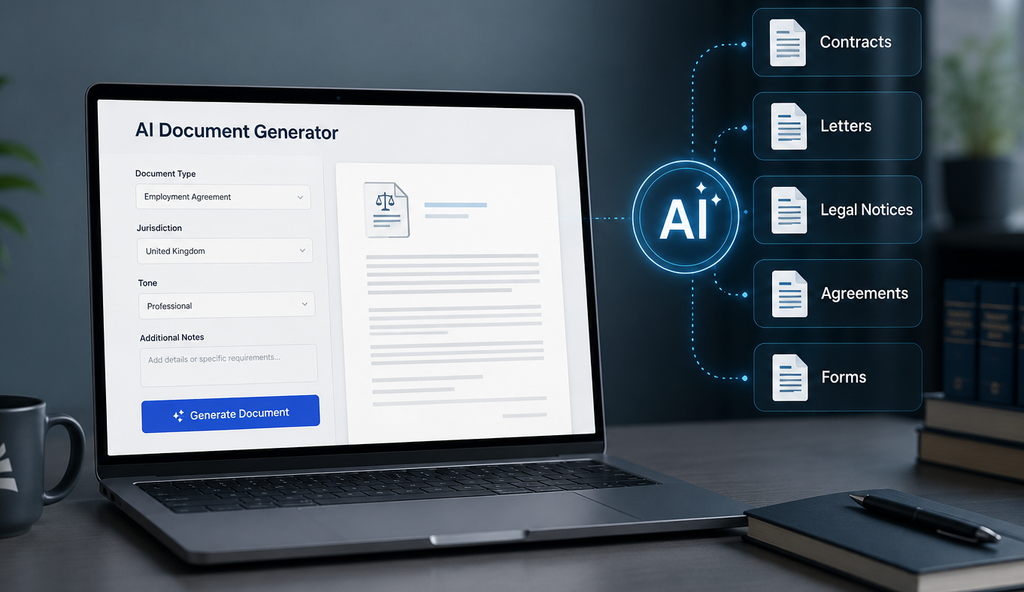
An AI HR document generator is software that uses artificial intelligence, templates, structured employee information, and company data to help create employment-related documents. The AI handles the heavy lifting, producing a standardized draft for an HR professional to review, approve, sign or route for e-signature.
Standardized HR document generators can produce structured employment documents from onboarding to offboarding, including offer letters, welcome letters, probation letters, warning letters, suspension letters, termination letters and reference letters.
A strong platform also manages the entire document lifecycle including review workflows, digital signatures, secure storage, version history, employee records, and easy retrieval.
Why small businesses need HR document generation
Most small businesses do not have dedicated HR departments. This means that all HR responsibilities often fall on the founder or a single HR professional. HR document generators help small and growing businesses move from manual paperwork to more structured and centralized documentation.
Dedicated platforms bridge the gap between manual, disorganized documentation and a full enterprise HR suite by fixing scattered HR documentation, reducing the time spent editing old templates and eliminating the need to chase down signatures.
What to look for in an AI HR document generator
Before choosing software, evaluate these key features and criteria to find the right fit for your business.
1. HR-specific document templates
Every business has a specific set of documents it uses most often. Look for platforms that support the documents your organization actually uses, such as offer letters, contract letters, promotion letters, handbooks, reference letters and termination letters.
2. AI-assisted drafting and jurisdiction awareness
Consider tools that use AI to generate standardized documents based on your preferred location. This ensures that documents produced are not generic but conform with local labor and employment laws.
3. Employee and company data integration
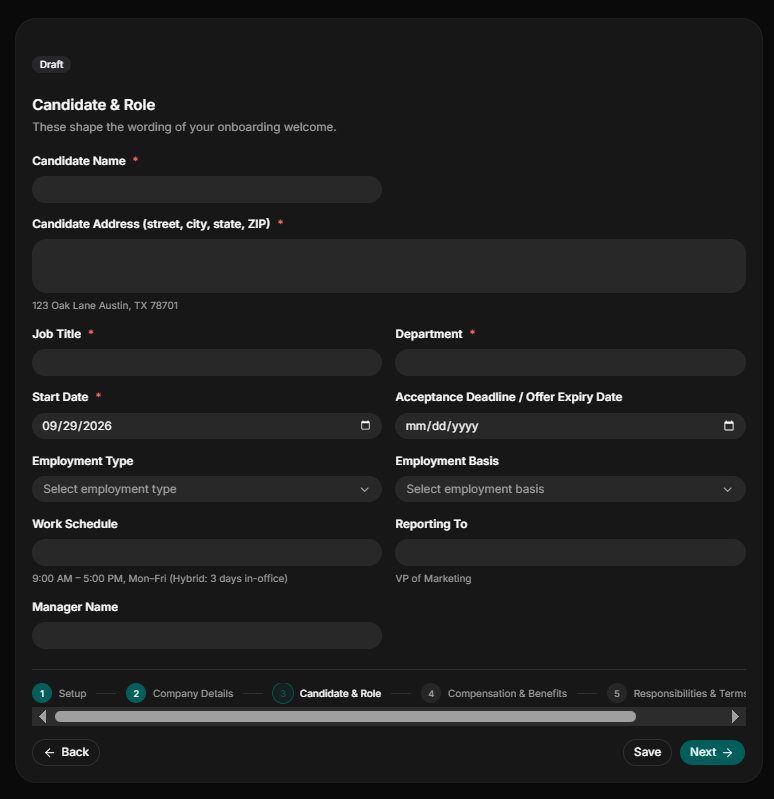
The platform should be able to populate fields with employee information and company details. You shouldn’t repeatedly type the same employee information into every document.
4. Custom templates
Some businesses have their own wording, policies, clauses, and formatting requirements. The right platform should permit organizations to customize templates to meet their needs.
5. Review and approval workflows
HR professionals should be able to review and edit documents before they are issued. Modern platforms feature an AI compliance check that identifies documentation risks before the final document is sent out.
6. Built-in electronic signatures
Signing should be part of the workflow rather than requiring printing and scanning. Electronic signatures allow HR professionals to securely send, sign, approve, and store employment documents from one centralized platform.
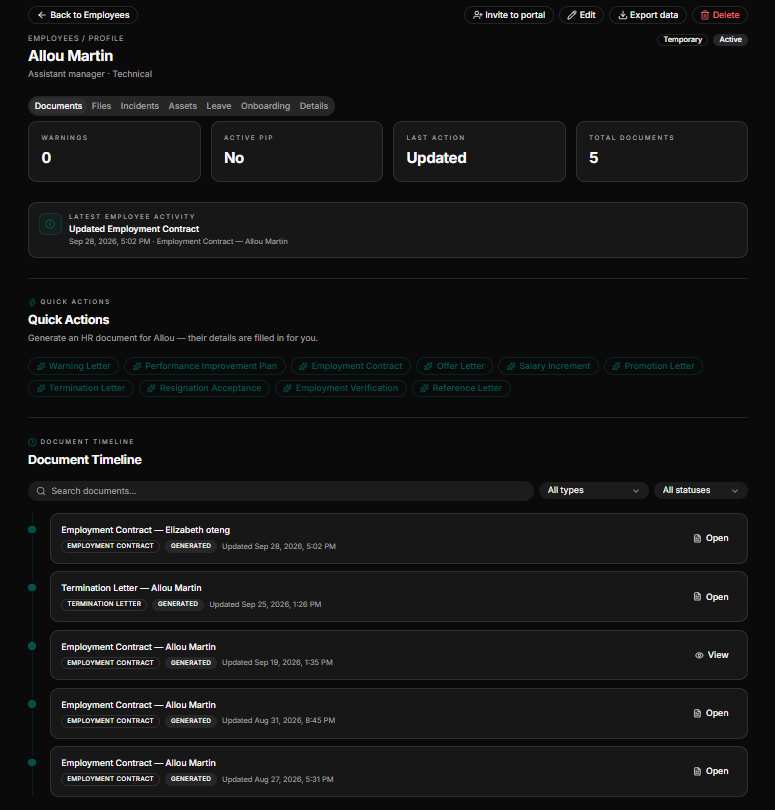
7. Employee record integration
A strong HR document generation platform should enable attaching generated documents to the right employee.
8. Document history
The system should help distinguish current documents from previous versions. A strong platform should be able to automatically preserve previous versions whenever templates are updated.
9. Expiration reminders
Consider platforms that automatically notify you of documents approaching renewal, such as contracts, certifications, licenses, permits, and other HR-related documents.
10. Access controls
HR documentation can contain sensitive employee information, so organizations should consider role-based access and auditability.
Top 5 AI HR Document Generator Tools Compared
Our Evaluation Methodology
This comparison focuses on the practical requirements of small and growing businesses rather than simply counting AI features. To ensure high accuracy, we evaluated each platform against the vendor’s official product pages, public pricing pages and technical documentation.
We considered AI-assisted document generation, HR-specific workflows, employee information reuse, custom templates, policy management, employee records and compliance-related workflows. Feature claims are based on published vendor material.
HRDocket: Best for HR documentation, Employee Records and Compliance management
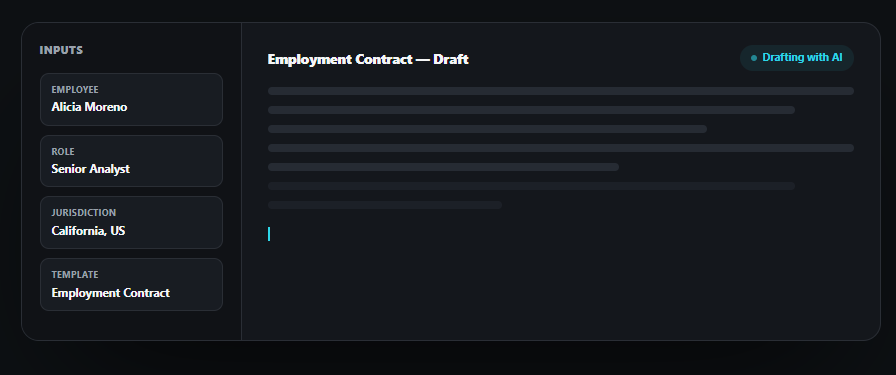
HRDocket is a dedicated HR documentation, employee records and compliance management platform purpose-built around the employee lifecycle. The platform helps HR teams generate, review, collect digital signatures, and store final documents against the right employee profile.
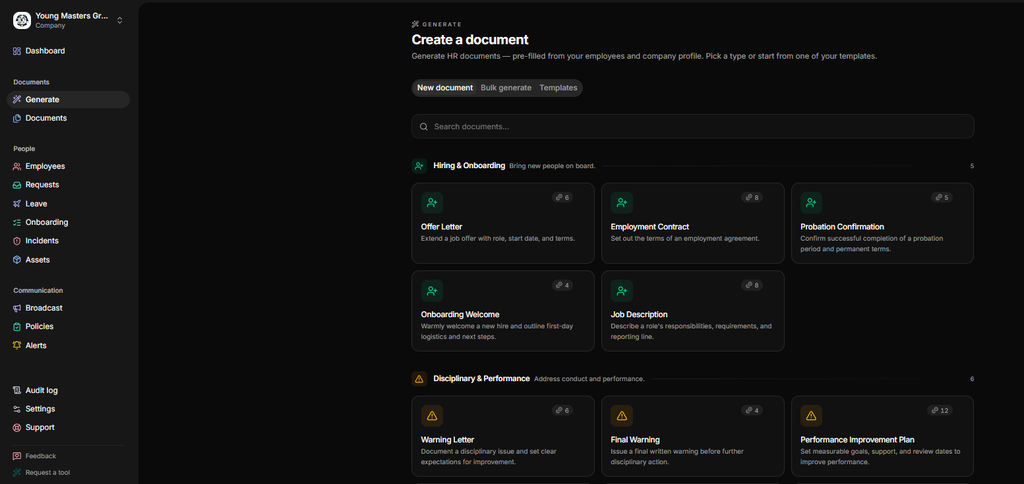
Instead of treating document generation as a generic text-writing tool, it embeds jurisdiction-aware logic directly into its library of over 25 specialized HR generators. This ensures that documents generated such as offer letters, NDAs, warning letters, PIPs, and termination agreements, automatically comply with local labor laws.
Key features
AI-assisted drafting: HRDocket uses AI trained on HR-specific structure and language to produce structured and standardized employment documents.
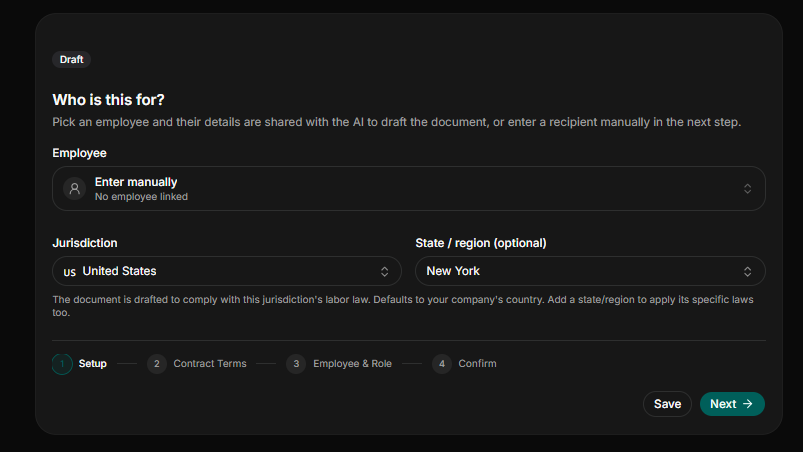
Jurisdiction-aware drafting: Every document generated on the platform conforms to labor and employment laws of the selected jurisdiction.
AI compliance checks: The platform features a built-in compliance review that flags missing fields, unclear clauses, or potential risk gaps before documents are sent.
Bulk document generation: HRDocket allows HR professionals to generate the same document type for multiple employees simultaneously or draft multiple different documents for a single employee in one pass.
Company branding: This allows organizations to brand their created letterhead using their logos, colors, and formatting that are applied automatically across every document.
Centralized employee records: The platform automatically links every document generated to the employee’s permanent, searchable digital profile.
Expiration reminders: The platform also features proactive automated alerts that track time-bounded HR documents such as contracts, certifications, permits and visas to notify professionals ahead of expiration.
Key strengths
- HR-specific document generation: The platform is purpose-built for creating HR documents, managing employee records and workplace compliance.
- Connects documents with employee records: It automatically links documents and HR processes to the employee profile.
- Built-in electronic signatures: It eliminates the need to print or scan documents by supporting secure, native e-signing workflows.
- Employee self-service portal: It gives active employees direct access to view assigned files, sign documents, and track requests.
Limitations
- HRDocket is not a full payroll-focused HRIS.
- The free plan offers limited features and produces watermarked PDFs.
- It has limited integrations.
Pricing
HRDocket offers transparent tiered pricing that includes a free plan ($0) for individuals and organizations testing the platform. Paid plans scale dynamically with your team’s size:
Starter Plan ($19/month or $15.83/month billed annually): Covers up to 15 employees and provides 120 monthly AI credits, full document generator access, custom templates, secure storage, digital signatures, expiration reminders, and email delivery for generated documents.
Growth Plan ($49/month or $40.83/month billed annually): Scales to 50 employees and features 250 AI credits, everything in the Starter plan in addition to AI compliance checks, and the employee self-service portal.
Business Plan ($99/month or $82.50/month billed annually): Full, high-volume capacity access for rapidly growing organizations. Compare full HRDocket pricing.
HRStak: Best Comprehensive AI Writing Workspace
HRStak acts as an all-in-one AI workspace for HR teams designed to eliminate administrative writing fatigue. Instead of forcing users to build prompts from scratch, the platform offers 81 pre-built HR workflows covering areas such as HR drafting, analysis, planning, employee questions, and other HR work.
Key strengths
- Core AI & Document Workflows: Users choose a specific task, fill out a brief questionnaire, and the AI immediately generates a high-quality draft. It supports multilingual operations, exporting polished documents as PDFs or Word files in seven languages.
- Data Integration & Records: Higher tiers include an AI Knowledge Base that trains on your uploaded company handbook, allowing the tool to instantly answer employee questions.
- Multi-language support: The platform can export documents to PDF and DOCX formats across seven languages.
Limitations
- It might be expensive for small businesses since its entry fee is a flat $249/month.
- It does not run payroll or handle benefits compliance
- It has no free trial to test the platform.
Pricing
HRStak uses flat monthly pricing with no per-employee fees, providing an economical scaling path for growing teams. It has no free plan; interested parties must book a live demo with the team before evaluating the workspace before purchasing. Its plans include:
- Essentials: $249/month or $2,480 annually for 1 HR user, 45+ tools, and 125 AI generations a month.
- Workspace: $599/month for $599 a month, or $5,970 a year for 3 HR users, 70+ tools, and 300 AI generations a month.
- Workspace Pro: $999/month or $9,950 a year for 5 HR users plus 10 managers, all 81 tools, and 500 AI generations a month.
PandaDoc: Best for High-Volume E-Signatures and Document Creation
PandaDoc is a document automation platform built mostly for sales teams. It covers a broader document automation space, making it an excellent choice for scaling teams that prioritize stunning, highly customized document presentation and rigid tracking.
Key strengths
- Advanced document workflows: Equips HR teams with an interactive document editor, pre-built templates, and a natural-language contract assistant that can search past files and summarize terms.
- Data integration and records: Includes highly robust cloud-based storage, complete audit trails, and deep integrations with external CRMs and ecosystem tech stacks.
Limitations
- It is built for general document workflows rather than HR.
- Advanced automation and integrations sit on higher tiers.
Pricing
PandaDoc offers a free e-sign plan that allows basic upload and sign workflows up to 5 documents a month. Paid access unlocks dynamic features and scales on a per-user basis. Its current pricing includes:
- Starter ($19/user/month when billed annually): This package includes unlimited document uploads and electronic signatures, access to templates, a rich-media editor, and document analytics.
- Business ($49/user/month when billed annually): This plan unlocks CRM integrations, custom team approval workflows, automated reminders, and custom branding.
- Enterprise (custom): This plan includes advanced workflow automation, single sign-on (SSO), and API developer keys
Jotform: Best for Form-Driven Data Collection and Automation
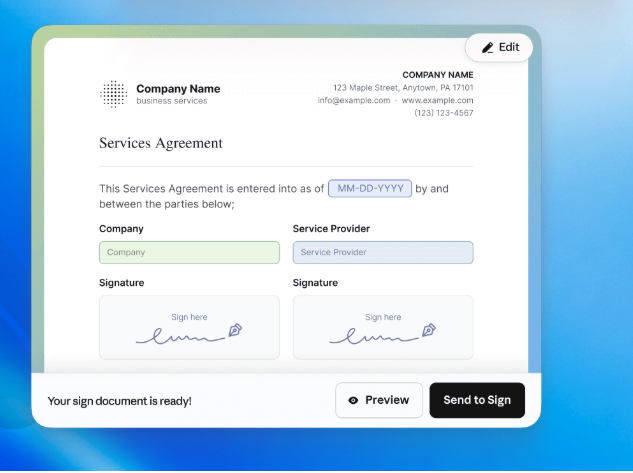
Jotform is widely known as a platform for online forms and workflow automation. It approaches human resources documentation from a form-first perspective, making it the most flexible option for teams that want to collect data first and automatically transform those submissions into legally binding records.
Key strengths
- Advanced workflow automation: The platform leverages powerful, no-code drag-and-drop builders along with an AI workflow builder that allows HR teams to construct onboarding forms, leave requests, and performance evaluations.
- Data Integration and records: It is excellent for gathering and structuring initial employee data, though it functions as a flexible workflow tool rather than a comprehensive, standalone employee database or full HR administration system.
- Integrated E-signature: Jotform Sign allows HR teams to collect signed, finalized documents with audit trails automatically.
Limitations
It is broader than HR documentation.
Forms are not linked to employee records.
Its plans are capped by usage
Pricing
Jotform offers transparent flat-rate pricing tiers. It features a free Starter plan for individuals testing the platform. Paid plans unlock expanded limits and remove branding. Paid plans start at:
Bronze ($34/month billed annually or $39/month billed monthly): 25 forms, 1,000 monthly submissions, and 1 GB of storage.
Silver ($39/month billed annually or $49/month billed monthly): Provides 50 forms, 2,500 monthly submissions, and 10 GB of storage space.
Gold ($99/month billed annually or $129/month billed monthly): Offers up to 100 forms, 10,000 monthly submissions, 100 GB of storage, and HIPAA compliance capability
Enterprise (Custom quote): Unlimited usage, SSO, and multi-user team access.
Leena AI: Best for Large-Scale Employee Experience and Support
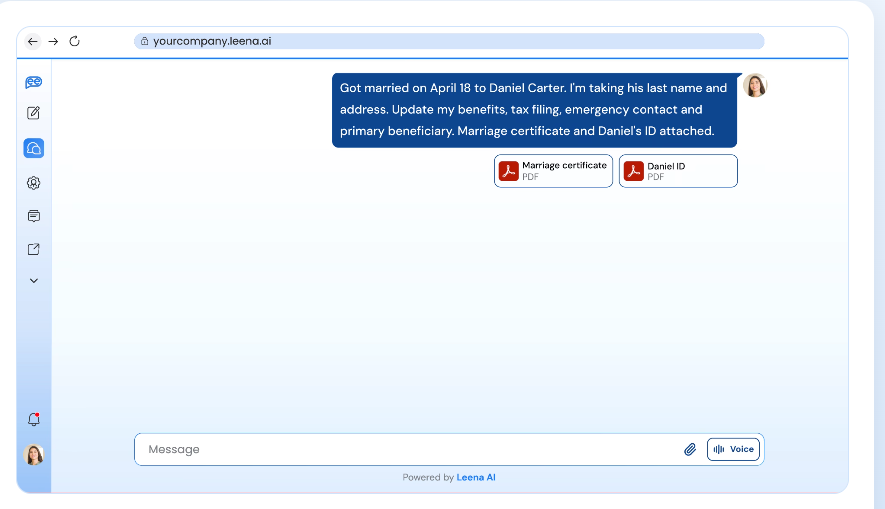
Leena AI is an enterprise-grade AI platform designed to completely automate HR helpdesk operations, IT, finance service delivery and end-to-end workforce interactions.
It is a conversational assistant that answers employee questions and automates onboarding and offboarding steps. The platform works across chat, email, Slack and Microsoft Teams.
Key strengths
- Conversational document Workflows: It uses conversational AI to guide new hires through automated pre-boarding and onboarding journeys.
- Deep Integration and records: Integrates deeply with major corporate suites (Slack, Microsoft Teams, Workday, BambooHR, and ADP).
- Strong employee self-service and request automation across HR, IT and finance.
Limitation
It might be too expensive for small and growing teams.
It focuses on employee service and workflow automation.
Pricing
Leena AI’s pricing is available strictly through customized enterprise contracts tailored to an organization’s specific employee headcount and integration matrix.
Feature-by-feature comparison
| Feature | HRDocket | PandaDoc | Jotform | HRStak | Leena AI |
| AI HR document generation | Yes (21+) | General templates | General templates | Some (e.g. offer letters) | No |
| AI-assisted drafting | Yes | Yes | Limited | Yes | Conversational |
| Jurisdiction-based drafting | Yes | No | No | Not stated | Not stated |
| Employee profiles and records | Yes | No | No | Partly | Via your HRIS |
| Digital signatures | Yes | Yes | Yes | Yes (onboarding) | Not stated |
| Expiry reminders | Yes | Limited | No | Yes (compliance) | Not stated |
| Payroll included | No | No | No | No | No |
| Free plan | Yes | Yes (eSign) | Yes | No | No |
Which platform is best for your business?
- Choose HRDocket if you need structured, compliance-driven HR document generation directly linked to permanent digital employee profiles built around the entire workforce lifecycle.
- Choose HRStak if you need a comprehensive, multi-tool AI writing workspace to eliminate administrative writing fatigue.
- Choose PandaDoc if your primary need is sales-style document workflows and e-signature.
- Choose Jotform if your primary need is form-driven data collection that automatically converts user inputs into structured PDF records.
- Choose Leena AI if you are a large enterprise resolving high volumes of employee requests.
Frequency Asked Question
What is an AI HR document generator?
It is a purpose-built human resources automation platform used to generate structured, professional employment documents from pre-hiring to offboarding. Modern platforms handle the drafting, collect secure electronic signatures, and automatically file completed documents into centralized employee records.
What is the best AI HR document generator for a small business?
The right choice depends heavily on your workflow. For small businesses experiencing disorganized HR paperwork, dedicated platforms like HRDocket is the best fit because it seamlessly combines AI document generation with employee records, digital signatures, and secure compliance storage.
Can AI replace HR professionals?
No, AI can assist with drafting structured documents and organizing documentation, but HR professionals remain responsible for reviewing and making strategic decisions.
Are AI-generated employment documents legally binding?
A standardized AI-generated document, once fully endorsed, is legally binding. The AI draft is only the starting point; once the document is reviewed and signed, it becomes legally binding.
Can HR documents be electronically signed?
Yes. Document automation tools like PandaDoc, Jotform, and HRDocket fully support legally binding signatures. However, HRDocket moves a step further by instantly linking the finalized files to the correct employee’s digital profile.
Can the HR document generator store employee profiles?
Modern HR documentation platforms like HRDocket can generate standardized employment documents and automatically file them to the employee profile.
Are there free AI HR document generators?
Yes. HRDocket, a dedicated system, provides a free offer with limited features for users testing the platform. General-purpose document tools like PandaDoc and Jotform also provide free plans for some of their services.
Conclusion
An AI HR document generator can reduce the time HR teams spend drafting employment documents manually. However, the right platform depends on the administrative bottlenecks of your business.
HRStack delivers massive capabilities for businesses that focus on cutting down the time spent writing policies and descriptions from scratch. PandaDoc focuses heavily on general business document workflow and e-signatures. Jotform offers extensive workflow for businesses with heavy form-collecting needs.
Leena AI is most suitable for large enterprises looking to completely automate employee support through conversational AI.
For small businesses that struggle with documentation and employee records challenges, HRDocket provides the strongest end-to-end documentation lifecycle with affordable, tailored pricing for small teams.
Create your first HR document with HRDocket and see how AI-powered document generation fits into your employee documentation workflow.
Every document becomes part of the employee’s permanent record
Spend less time buried in HR paperwork and more time growing your business. Generate documents, organize employee records, and simplify HR operations; all from one place.
No credit card required · Cancel anytime · Set up in under 5 minutes